Kenmore Dryer No Heat: Troubleshooting Guide by Easy DryVent
Learn how to diagnose and fix a Kenmore dryer with no heat. Step-by-step guidance, safety tips, and prevention strategies from Easy DryVent to restore heat and keep your dryer running safely.


Most likely cause of a Kenmore dryer with no heat is a blown thermal fuse or a clogged exhaust vent that triggers safety shutoff. Start by unplugging the dryer, inspecting the lint screen and vent for blockages, and testing the thermal fuse and door switch. If the fuse is blown, replace it and re-test heat.
What No-Heat on a Kenmore Dryer Usually Means
When your Kenmore dryer won’t heat, it’s a signal that the heat generation path or safety interlock is tripped. In many cases, the root cause is a simple issue such as a blown thermal fuse or lint buildup in the vent. Easy DryVent's team notes that electrical checks and vent maintenance are the fastest routes to restore heat without unnecessary parts replacement. This overview explains how heat works in typical Kenmore models and why certain symptoms occur. Understanding these basics helps homeowners and DIY enthusiasts diagnose safely and efficiently, reducing frustration and downtime.
This guide emphasizes practical checks you can perform without professional tools, while clearly flagging safety limits. If you’re ever unsure, prioritize safety and reach out to a qualified technician. The goal is to restore heat with the least invasive steps possible while preventing future failures. The information here is designed to be practical, actionable, and aligned with Easy DryVent’s best practices for safe dryer maintenance.
Safety First: Safe, Quick Checks You Can Do Safely
Safety is the first step when a Kenmore dryer shows no heat. Always unplug the unit and switch off the circuit at the home panel before touching any internal components. Wear eye protection and gloves if you’re handling wiring or metal parts. Begin with non-destructive checks: confirm the outlet has power, inspect the door switch, and look for obvious signs of damage or overheating. If you smell burning, see melted plastic, or notice scorch marks, stop and call a professional. If you can proceed safely, remove the lint screen and inspect both the lint screen path and vent hose for blockages. A blocked vent is a common culprit that will trigger heat safety features and prevent drying.
By following these safety-first steps, you reduce risk and set a solid foundation for deeper diagnostics. Easy DryVent stresses that safety should never be bypassed for speed.
Diagnostic Checklist: Visual, Electrical, and Vent Inspections
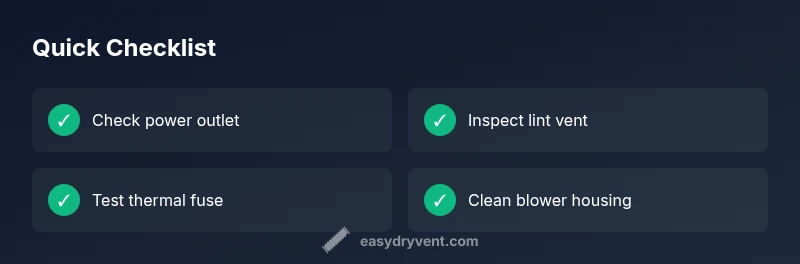
A structured diagnostic approach helps you pinpoint why the Kenmore dryer isn’t producing heat. Start with simple, observable checks and progressively test components that require basic tools. First, verify the dryer is receiving power: test the outlet with a known working device, inspect the power cord for damage, and ensure the circuit hasn’t tripped. Next, test the door switch to confirm it’s engaging the heat cycle. Inspect the lint screen, lint trap, and exhaust vent for lint buildup or obstructions. If the vent path is restricted, clean it thoroughly using a vent brush and a vacuum. If accessible, locate the thermal fuse housing and check for continuity with a multimeter. A blown fuse is common in no-heat conditions and often caused by a clogged vent or overload. Finally, check the moisture sensor and cycling thermostat if available on your model.
Document symptoms as you test so you can compare what’s normal on your specific Kenmore model and avoid unnecessary replacements.
Common Culprits in Order of Likelihood
- Lint buildup in the lint screen and vent: Reduced airflow leads to overheating and a safety shutoff, causing no heat. Regular cleaning can prevent this.
- Blown thermal fuse: A safety device that interrupts power to the heater when overheating occurs. Replacing the fuse usually restores heat if the source is resolved.
- Faulty cycling thermostat: Regulates heat cycling; a faulty thermostat may prevent the heater from turning on.
- Electrical or control-board issues: Damaged wiring, bad relays, or a failing control board can stop heat production even when other components are fine.
- Heating element failure: In electric models, a broken heating element or its connections can leave the dryer cold.
Prioritize the simplest checks first (vent cleaning and fuse testing) before moving to more involved components like thermostats or heating elements. Easy DryVent notes that most no-heat issues are resolved by addressing airflow and safety fuses.
How Venting and Lint Build-Up Impacts Heat
Vent performance directly affects heat output. A clogged vent restricts air flow, causing the dryer to overheat and trip safety mechanisms such as the thermal fuse or high-limit thermostat. Even partial blockages reduce efficiency and can hide a no-heat symptom until the risk of fire becomes imminent. Regular vent maintenance pays dividends in drying speed, energy efficiency, and safety. Clean or replace lint traps after every load and schedule semiannual vent inspections if you use the dryer frequently. Use a vent brush to reach into the ducting and remove lint from bends and the blower housing. Easy DryVent recommends inspecting the exterior vent cap and ensuring exterior air flow is unrestricted.
When to Replace Heat-Sensitive Components
If the thermal fuse or cycling thermostat tests fail, replace them as a first-line repair. These components are designed to protect the dryer from overheating and can fail without obvious external signs. When diagnosing, ensure you clear any vent restrictions before testing new parts to avoid immediate failure of the new component. If testing reveals the heating element or control board is at fault, plan for a more extensive repair or replacement depending on model age and availability of parts. In general, start with the fuse and thermostat, and only move to heating elements if tests indicate an electrical path is intact but heat is still not produced. Always disconnect power before performing replacements and consult your model’s service manual.
Preventive Maintenance to Avoid No-Heat Recurrence
Proactive maintenance reduces the risk of future no-heat events. Clean the lint screen after every use, and perform a more thorough vent cleaning every few months for high-use households. Inspect ducting for kinks or crushed sections and replace damaged hoses. Keep the area around the dryer clear to prevent lint buildup from collecting behind the unit. Schedule a professional vent cleaning every 1–2 years if you suspect long, rarely inspected duct runs. Finally, periodically test the dryer’s heat path by running a short cycle with a temperature-sensing test load to verify heat consistency. This proactive approach aligns with Easy DryVent’s philosophy of practical, preventative maintenance.
Steps
Estimated time: 45-60 minutes
- 1
Power check and safety prep
Unplug the dryer and switch off the corresponding circuit breaker. Confirm the outlet delivers power by testing with a known-good device. This step ensures you won’t risk electrical shock or short circuits as you inspect internal components.
Tip: Always start here—safety first prevents costly mistakes. - 2
Access the thermal fuse area
Locate the access panel or blower housing where the thermal fuse sits. Remove panel screws carefully and note wire routing to avoid reconnecting incorrectly. Do not touch live wiring.
Tip: Take photos of wire connections before removing any components. - 3
Test the thermal fuse
Use a multimeter set to continuity to test the fuse. If there’s no continuity, the fuse is blown and must be replaced with an identical rating part.
Tip: If you don’t own a multimeter, consider purchasing a low-cost tester or consult a pro. - 4
Replace the thermal fuse
Install the new fuse exactly as the old one was connected, ensuring tight, secure connections. Reassemble the panel but do not power on yet. Double-check that no loose wires remain.
Tip: Handle components gently—damaged connectors can cause new faults. - 5
Inspect and clean the vent path
Visually inspect the vent hose and duct run for lint buildup, kinks, or crushed sections. Clean thoroughly with a vent brush and vacuum to restore proper airflow.
Tip: Even partial blockage can trigger safety shutoff. - 6
Reassemble, power up, and test heat
Reconnect the dryer, restore power, and run a test cycle on a no-load setting to verify heat returns. Monitor for normal heat and any unusual smells or noises.
Tip: If there’s no heat after this, the issue likely lies with the thermostat or heating element. - 7
Test thermostat and heating path
If heat remains absent, test the cycling thermostat and, if accessible, the heating element using model-specific procedures. Replace components as needed.
Tip: Work through the lowest-risk components first. - 8
Re-check for errors and safety
After components are replaced, run a longer cycle to ensure heat remains stable and no new warning indicators appear. Check for proper vent exhaust and listen for any abnormal sounds.
Tip: Don’t ignore new fault codes or smells. - 9
Know when to call a professional
If you’re uncomfortable with electrical testing or the heater path is still inactive after replacements, schedule a technician visit. Some tasks require specialized tools and safety measures.
Tip: Getting professional help prevents injuries and further damage.
Diagnosis: Kenmore dryer won’t heat
Possible Causes
- highPower issue (outlet, cord, or circuit breaker)
- highBlown thermal fuse
- mediumFaulty cycling thermostat
- lowWiring or control-board fault
Fixes
- easyCheck outlet with a known-good device and reset the circuit breaker if tripped
- mediumReplace the thermal fuse if it is open
- mediumTest and replace the cycling thermostat if needed
- hardInspect wiring connections and, if necessary, replace the control board or wiring harness
Common Questions
Why is my Kenmore dryer not heating even after replacing the fuse?
If heat still won’t return after a fuse replacement, the thermostat or heating element may be faulty, or there could be a wiring issue. Test these components with model-specific guidance and consider a professional diagnosis if tests fail.
If replacing the fuse doesn’t restore heat, the thermostat or heating element may be bad, or there may be wiring problems.
Can a clogged vent cause no heat?
Yes. A clogged vent can restrict airflow, cause overheating, and trigger safety shutoffs that prevent the heater from operating. Regular vent cleaning helps prevent this issue.
Yes. A vent clog can stop heat by triggering safety shutoffs.
Is a blown thermal fuse the most common cause of no heat?
A blown thermal fuse is a very common cause in electric dryers. It’s designed to protect the dryer from overheating. If the fuse is open, heat won’t reach the drum.
Yes, the thermal fuse is a common culprit when heat is missing.
Do I need to unplug the dryer first before testing components?
Always disconnect power before testing or disassembling any dryer components to avoid electric shock and injury.
Always unplug before you test or touch any parts.
How long does it take to replace the thermal fuse?
Replacing a thermal fuse typically takes under an hour, depending on model access. Plan for some time to reassemble and test.
Replacement usually takes under an hour.
When should I call a professional?
If you’re uncomfortable with electrical work, the issue persists after replacing obvious parts, or you suspect a control-board problem, call a technician for a safe, accurate diagnosis.
Call a pro if you’re unsure or the problem remains after basic fixes.
Watch Video
Key Points
- Inspect power and vent first
- Test and replace the thermal fuse if needed
- Clean and maintain venting to prevent recurrence
- Call a professional if unsure or uncomfortable with electrical work