How to Tell If Your Dryer Thermostat Is Bad
Urgent, practical steps to determine if your dryer's thermostat is bad. Diagnose symptoms, test with a multimeter, replace safely, and restore proper heat.


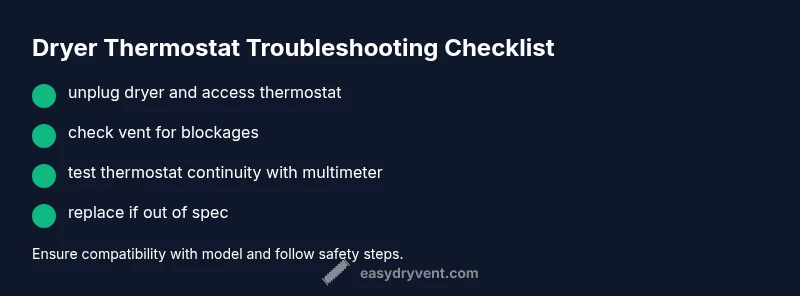
Most likely cause: a faulty dryer thermostat. Quick fix: unplug the dryer, locate the thermostat behind the rear panel or control housing, test for continuity with a multimeter, and replace the thermostat if it doesn’t read within spec or shows open/short. If this doesn't fix heating, check the thermal fuse and venting.
What a dryer thermostat does and why it fails
The dryer's thermostat is a small temperature-sensing switch that helps regulate heat by signaling the heating element when to turn on or off. When it works, you get consistent heat and safer operation. When it fails, you may see overheating, underheating, or erratic cycling. According to Easy DryVent, thermostat faults are a common contributor to overheating and uneven drying. Causes include age, lint buildup, excessive heat exposure from long cycles, and simple wear. If your dryer repeatedly overheats, shuts off, or fails to heat, suspect the thermostat alongside other components such as the heating element or thermal fuse. Diagnosing a thermostat fault requires a safe, step-by-step approach rather than guesswork. This guide provides a practical workflow that homeowners can perform with basic tools while prioritizing safety and accuracy.
Common symptoms that point to a bad thermostat
Look for signs like clothes that feel warm but not hot, cycles that take excessively long, the dryer overheating with a burning smell, or the appliance shutting off mid-cycle. Some models may cycle on and off in an abnormal pattern. A faulty thermostat can interact with the control board, causing inconsistent heat. While these signs point toward thermostat issues, airflow problems (blocked vents, clogged lint) or a failing thermal fuse can mimic the symptom set. Use a symptom checklist to narrow the root cause and guide your testing strategy. Easy DryVent emphasizes starting with airflow and power safety checks before touching internal components.
Quick checks you can do safely (before testing with tools)
Power off and unplug the dryer before any inspection. Move the unit away from the wall to access panels safely. Inspect for obvious airflow problems: a blocked vent hose, lint buildup, or a clogged lint trap. Confirm exterior vent paths are clear and ductwork isn’t crushed or kinked. If the outlet is shared or on a switched circuit, verify the circuit isn’t tripping. These quick checks rule out airflow and power issues that resemble thermostat faults and reduce needless part replacement. Easy DryVent recommends treating airflow checks as a prerequisite to any component testing to protect your safety and the dryer.
How to test the thermostat with a multimeter (and what readings mean)
Testing typically requires removing the thermostat from the circuit to test continuity. With the dryer unplugged, locate the thermostat behind a panel or the control housing. Disconnect the wiring harness, set your multimeter to continuity (or resistance), and touch the probes to the thermostat terminals. A healthy thermostat should show continuity at ambient temperature and lose continuity when heated (simulating dryer heat). If there is no continuity at room temperature or continuity persists when heated, the thermostat is faulty. If you’re unsure about wiring, consult the dryer's service manual or a qualified technician. Documenting connections with photos before disconnecting helps prevent miswiring. Easy DryVent reinforces following manufacturer guidance and avoiding shortcuts that compromise safety.
Step-by-step: replace the thermostat safely
- Power down and unplug the dryer. 2) Access the thermostat location and carefully disconnect the wiring harness. 3) Remove mounting screws or clips. 4) Install the new thermostat, reconnect wires exactly as labeled or photographed. 5) Reassemble the panel, ensuring all gaskets and seals are seated. 6) Plug in and run a test cycle with no load to verify proper heat and airflow. 7) If heat is inconsistent, recheck venting and wiring connections. 8) Dispose of the old part per local guidelines.
Tip: Use a manufacturer-approved replacement compatible with your model. Double-check the wiring before restoring power. A thorough post-replace test helps prevent a repeat failure.
Bypass vs replacement: why bypassing is not recommended
Do not bypass a thermostat to save money or time. Bypassing can allow the dryer to overheat, posing a fire hazard and risking damage to interior components. Replacing with the correct thermostat restores safety and performance. If you’re tempted to bypass due to perceived complexity, consider reaching out to a professional or follow the manufacturer’s repair path.
Prevention, maintenance, and safe operation tips
Keep the lint filter clean and the vent clear. Schedule regular vent inspections and cleanings to prevent heat buildup that can degrade thermostats. Avoid overloading the drum, which makes the heating system work harder and shorten component life. Use the dryer in a well-ventilated area and follow the manufacturer’s safety guidelines at all times. A small, consistent maintenance routine extends the life of the thermostat and the whole system.
When to call a pro and what to expect
If you’re uncomfortable with electrical testing, if the dryer is under warranty, or if you notice signs of burning, buzzing, or smells, stop and call a professional. A technician will confirm the thermostat’s fault with proper testing, replace it safely, and check related components (thermal fuse, heating element, and venting). Expect a diagnostic discussion, a replacement part estimate, and a brief test run after repair.
Steps
Estimated time: 60-90 minutes
- 1
Power down and unplug the dryer
Disconnect the dryer from power and move it to access behind panels safely. This prevents shock and avoids accidental start-ups during service.
Tip: Take a photo of wiring before disconnecting any harnesses. - 2
Access the thermostat location
Remove the back panel or control housing to expose the thermostat board. Identify the thermostat and note its wires and orientation.
Tip: Label wires with tape if you don’t photograph their positions. - 3
Test continuity with a multimeter
With power off, disconnect the thermostat harness and test the terminals for continuity. Record readings for reference.
Tip: If no continuity at room temperature, the thermostat is likely bad. - 4
Replace the thermostat
Install the new thermostat, reconnect wiring exactly as shown in your notes or manual, and secure mounts.
Tip: Use manufacturer-approved parts to ensure compatibility. - 5
Reassemble and test
Reattach panels, plug in the unit, and run a short test cycle with no load to verify heat and venting.
Tip: Watch for proper heat cycling and ensure there’s no unusual noise. - 6
Inspect related components
If issues persist, check the thermal fuse, heating element, and venting for blockages or faults and address as needed.
Tip: Address airflow problems first to avoid repeating thermostat faults.
Diagnosis: Dryer runs but dries slowly, overheats, or shuts off mid-cycle
Possible Causes
- highDefective thermostat
- highBlown thermal fuse
- mediumBlocked or restricted venting
- lowWiring issue to thermostat
- lowControl board misreadings
Fixes
- easyTest thermostat with multimeter and replace if open/short
- mediumReplace thermostat assembly and reseal ducts if needed
- easyReplace thermal fuse if found open
- easyClear venting and lint buildup; recheck after replacement
- mediumInspect wiring harnesses and connectors for damage; repair as needed
Common Questions
What are the signs that my dryer's thermostat is failing?
Common signs include overheating, underheating, erratic heat cycling, or the dryer taking too long to dry. These symptoms could also result from venting or a faulty thermal fuse, so testing is essential.
Look for overheating, inconsistent heat, or very long drying times, then test with a multimeter to confirm.
Can I test the thermostat without taking the dryer apart?
Some models allow access without full disassembly, but many require panel removal to reach the thermostat. Always unplug first and follow the service manual.
You may need access behind panels; always unplug first and follow the manual.
Will replacing the thermostat fix all heating problems?
Replacing the thermostat can resolve thermostat-related heating issues, but other causes like vent blockages or a faulty heating element may still affect performance.
It helps if the thermostat is the culprit, but other problems could still be present.
Is it safe to DIY thermostat replacement?
DIY replacement is possible for many models if you have basic mechanical skills and follow safety steps. If you’re not comfortable with electrical work, call a pro.
DIY is possible for many, but don't risk it if you're unsure.
How do I know if I need a new thermostat vs a thermal fuse?
If testing shows no continuity for the thermostat, replace the thermostat first; if the fuse is open, replace the fuse. A professional can confirm if parts are interdependent.
Test first for the thermostat; if in doubt, a pro can clarify the fuse relation.
What is the typical homeowner cost to replace a dryer thermostat?
Costs vary by model and part availability. A DIY replacement generally involves parts and basic tools, while professional service includes labor and potential related repairs.
Costs vary; DIY parts are usually affordable, professionals charge for labor.
Watch Video
Key Points
- Verify symptoms before replacing parts.
- Test with a multimeter to confirm thermostat fault.
- Replace, not bypass, a failed thermostat for safety.
- Inspect venting and airflow to prevent future issues.
- Follow manufacturer guidance and safety practices at all times.