How to Fix a Dryer That Keeps Running
Learn how to diagnose and fix a dryer that keeps running. Step-by-step checks, safety tips, and prevention to stop runaway dryers and protect your home.


A dryer that keeps running is most often caused by a stuck cycling thermostat or a faulty timer/control. Start by unplugging the unit, reconfirming the cycle settings, and inspecting the start switch. If the problem persists, the primary fixes are replacing the cycling thermostat or the timer to restore proper shutoff.
Understanding the symptom: dryer keeps running
When a dryer will not stop running, the root cause is almost always a control or cycling issue. You may notice the drum stops turning, but the motor continues to energize, keeping the unit powered and hot. According to Easy DryVent, a dryer that keeps running is typically tied to a stuck cycling thermostat or a malfunctioning timer/control. The first thing to do is to verify the basic user settings and power state, because a simple misconfiguration can look like a fault. In many homes, the problem emerges after a minor maintenance item like cleaning a lint filter, or after a recent power surge that affected electronics. The goal is to isolate whether this is a control fault, an electrical issue, or a ventilation-related symptom that prompts the unit to stay energized. This clear understanding helps you prioritize the fix and reduces wasted effort.
Common culprits at a glance
There are several likely culprits when you notice a dryer keeps running, and understanding their roles helps you decide what to test first:
- Cycling thermostat: If this switch sticks closed, it will keep the heat and motor energized even when the cycle should end.
- Timer or electronic control: A faulty timer can fail to send the stop signal, so the dryer never ends the cycle.
- Start switch or door switch: A sticky start switch or a faulty door switch can falsely re-energize the motor.
- Moisture sensor: If the sensor misreads moisture, it can signal a longer cycle than needed, but this usually results in continued operation rather than nonstop power.
- Control board or wiring: A loose connection or damaged relay can keep circuits energized.
Safety first: unplug and inspect
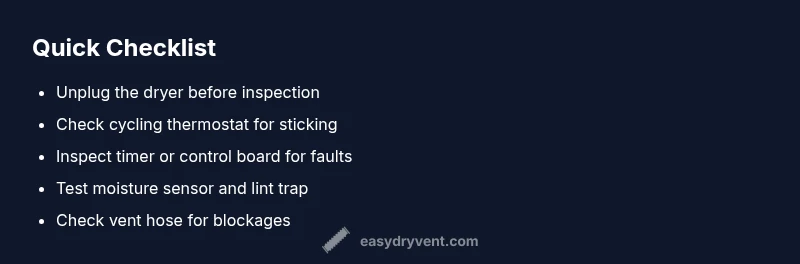
Before you touch any internal components, unplug the dryer from the wall outlet and disconnect the power cord. Do not attempt any checks while the dryer is plugged in. If you have a gas dryer, shut off the gas supply according to the manufacturer’s instructions. Wear safety gloves, keep your work area dry, and have a flashlight handy to inspect visible wiring and components. If there is any smell of burning insulation or melted plastic, stop immediately and call a professional. Quick visual checks can reveal obvious signs of wear, such as frayed cords or discolored wiring, which should be addressed by a licensed technician.
Diagnosing the cycling thermostat
The cycling thermostat controls heat while the drum runs; if it sticks closed, it can keep the motor energized and the drum spinning even after the clothes feel dry. Safely access the thermostat by removing the back panel or front panel according to your model’s service manual. Use a multimeter to test continuity when the unit is cool and again after operating for a short cycle. You’re looking for a thermostat that opens and closes as intended; a thermostat that fails to open or shows inconsistent readings is a strong candidate for replacement. Replacing this part is often straightforward and cost-effective compared to a full control overhaul.
Timer and control board take a closer look
If the cycling thermostat checks out, the timer or electronic control board may be the culprit. A timer that fails to advance can leave the dryer in a continuous run state, while a faulty control board relay can keep the motor energized. Inspect the timer’s linkage and contacts for wear, corrosion, or burn marks. For electronic controls, look for swollen capacitors, scorched circuitry, or loose connectors. When in doubt, consult your model’s wiring diagram and test with a multimeter or continuity tester. Replacing a timer or control board can restore proper shutoff timing and prevent future run-ons.
Moisture sensor and door switch checks
Moisture sensors determine when clothes are dry and signal the cycle to end. A sensor that is covered with lint, or one that is miscalibrated, can cause erratic cycling, though this more often results in premature stopping or extended cycles rather than a constant run. Clean the moisture sensors with a soft cloth and mild soap, ensuring there’s no soap residue that could alter readings. The door switch also plays a role; a faulty switch may falsely supply power to the drum. If tests show the door switch is stuck or won’t depress fully, replace it.
Lint, vent, and airflow factors
A clogged lint trap or obstructed vent can cause overheating and protective logic to misfire, leading the dryer to attempt longer cycles or continue running as a compensation. Start by cleaning the lint screen and vacuuming the vent opening at the lint trap area. Inspect the vent hose for kinks or crush points and check the exterior vent cap to ensure it opens freely when the dryer is on. Adequate airflow reduces heat buildup and helps the dryer complete cycles normally, which reduces both energy use and wear on components.
Repair vs replacement decisions
Not every faulty timer, thermostat, or control board is worth repairing on an older unit. If your dryer is several years old and the repair cost approaches or exceeds a significant fraction of a replacement, consider a cost-effective replacement rather than ongoing maintenance. Compare the cost of parts and labor with a new unit’s efficiency gains. In many cases, a targeted repair—such as replacing a cycling thermostat or a faulty timer—offers the best balance of reliability and expense.
Prevention: long-term care and maintenance
Proactive maintenance lowers the odds of a dryer developing a runaway condition. Schedule regular lint removal, clean the moisture sensors, verify vent paths annually, and run a quick diagnostic test after major changes, like a vent cleaning or after dusting out the drum. Keep the area around the dryer clear to ensure airflow and reduce heat accumulation. Maintain a simple service log to track any intermittent issues, which helps you notice patterns over time and prevent recurrence.
Steps
Estimated time: 60-90 minutes
- 1
Unplug and verify settings
Ensure the dryer is fully unplugged. Confirm that the cycle selected ends with a stop and that any “start” or “pause” options aren’t engaged accidentally. This simple check can rule out a user setting that keeps the unit energized.
Tip: If you recently reset the breaker or unplugged, wait 30 seconds before replugging to reset the control. - 2
Check the start switch
Inspect the start switch for sticking or failing to release. A sticky switch can continuously energize the motor. If cleaning does not resolve it, test continuity with a multimeter or replace the switch.
Tip: Take a photo of wiring before disconnecting to ensure correct reconnection. - 3
Inspect cycling thermostat
Access the cycling thermostat following the manual. Use a multimeter to test for proper on/off operation at operating temperatures. Replace if it fails to open or close as designed.
Tip: Handle the thermostat with care; it can be hot if the dryer has just run. - 4
Evaluate timer/control board
Check the timer’s gears and contacts for wear and ensure the control board relays aren’t welded closed. Replacement of the timer or control board may be necessary if the stop command isn’t being sent.
Tip: Consult your model’s wiring diagram to locate the proper test points. - 5
Test moisture sensor and door switch
Clean moisture sensors and test the door switch for proper operation. Residue on sensors can misread moisture, while a faulty door switch can energize circuits incorrectly.
Tip: Use a dry cloth; avoid liquids near electrical connections. - 6
Check venting and lint
Ensure lint traps are clean and vents are free of blockages. Poor airflow can trigger safety features that extend cycles, or in some cases cause the unit to remain energized improperly.
Tip: Inspect exterior vent caps and ensure they flap freely when the dryer is on. - 7
Make the call: assess repair vs replacement
If multiple components show wear or the unit is several years old, weigh repair costs versus a replacement with improved efficiency. Consider warranty status and energy savings over time.
Tip: Keep receipts and log repairs for future maintenance decisions. - 8
Document preventive steps
Create a simple maintenance checklist (lint removal, sensor cleaning, vent inspection) to repeat every 3–6 months. This reduces the risk of a recurring runaway condition and extends appliance life.
Tip: Set a calendar reminder for quarterly checks.
Diagnosis: Dryer keeps running
Possible Causes
- highStuck cycling thermostat
- mediumFaulty timer or control board
- lowSticking start switch or door switch
Fixes
- easyTest and replace cycling thermostat if stuck closed
- mediumInspect/replace timer or control board if signaling failure
- easyReplace faulty start or door switch if it causes continuous energizing
Common Questions
Why does my dryer keep running after the cycle should end?
This usually means a faulty timer or cycling thermostat. A control board or door switch can also cause a continued energizing signal. Start by testing these components in order of likelihood and replace the defective one.
A faulty timer or cycling thermostat typically causes a dryer to keep running. Check the control board and door switch if the former tests are OK.
Can a clogged vent cause the dryer to run continuously?
A clogged vent tends to cause overheating and longer cycles, not continuous running. However, overheating can trigger safety circuits that seem to extend operation. Clean the lint trap and vent system to eliminate this factor.
A clogged vent mainly causes long cycles or overheating rather than nonstop operation, but cleaning it helps near-term performance.
Is it safe to DIY diagnose a dryer that won't stop running?
DIY diagnosis is possible for simple checks, but high-voltage components, thermal fuses, and gas lines require professional service. Always unplug the unit and avoid touching live wires.
You can do basic checks safely, but call a pro for wiring or thermal fuse work.
How do I test a cycling thermostat?
Remove the thermostat and test continuity with a multimeter according to your service manual. A thermostat that does not switch opens or closes as expected should be replaced.
Test continuity with a multimeter; replace if it doesn't switch on and off as it should.
When should I replace the dryer instead of repairing?
If repair costs approach the price of a new unit, or if the dryer is older with diminishing efficiency, replacement may be the better long-term choice.
If repairs are expensive or the dryer is old, replacing it could save money and energy.
What are signs of a faulty control board?
Look for scorched components, burnt smell, or inconsistent responses to button presses. A faulty board can energize circuits incorrectly and cause the dryer to run unexpectedly.
Signs include burning smells, melted wiring, or random button issues.
Watch Video
Key Points
- Identify the root cause before replacing parts.
- Prioritize cycling thermostat and timer checks.
- Improve venting to prevent heat-related faults.
- Follow safety steps; unplug and inspect first.