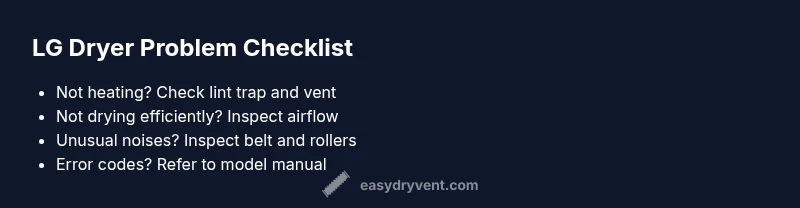
Common Problems with LG Dryers: Troubleshooting Guide
Diagnose and fix the most common problems with LG dryers. Quick, safe troubleshooting and practical maintenance guidance from Easy DryVent.


LG dryers most often suffer from heating and drying issues due to airflow blockages, lint buildup, or a failing thermal fuse. Start with the simplest checks: clean the lint screen, verify the vent path is clear, and confirm the dryer is receiving power. If these basics don’t resolve the problem, follow our step-by-step diagnostic flow for deeper fixes.
Why LG Dryers Common Problems Happen
According to Easy DryVent, many of the most common problems with LG dryers arise from airflow constraints, buildup in the lint trap, and aging electronic controls. When airflow is restricted, the dryer struggles to heat efficiently or dries clothes unevenly. The door switch and control board can also wear over time, mimicking failure symptoms. Understanding these root causes helps homeowners approach fixes safely and methodically. Throughout this guide you will see practical, home-friendly checks that start with the simplest tasks and escalate only as needed. The goal is to reduce downtime, extend appliance life, and minimize fire risk by keeping vents and lint filters clean. Remember: the keyword here is proactive maintenance as much as problem-solving.
Not Heating? Quick Fixes to Start
A non-heating LG dryer is one of the most frustrating problems for homeowners. Start with the easy suspects: is the lint screen clean and the vent path clear? Ensure the dryer is plugged in and the outlet is functioning, and confirm the door switch engages properly. If the vent is clear and power checks out, the next likely culprits are the thermal fuse or heating element. These parts require more careful testing and, if faulty, replacement by a qualified technician. In many cases, replacing a blown fuse restores heat, but persistent heating problems may indicate deeper electrical issues that require a professional inspection.
Not Drying Properly: Airflow and Lint
Poor drying performance almost always ties back to airflow. Even with a hot element, clothes can emerge damp if air cannot escape fast enough. Start by removing and cleaning the lint trap, then inspect the vent hose for kinks or crushing. Push a flexible brush through the duct to dislodge lint buildup that is unseen from the outside. If your exterior vent cap is blocked by debris or a bird's nest, exhaust flow will be severely reduced. Regular vent cleaning every 6–12 months (more often in households with pets or heavy usage) keeps drying times consistent and lowers the risk of overheating.
Not Spinning or Drum Won’t Turn
If the drum isn’t turning, the problem could be a worn or broken drum belt, a seized drum, or a faulty motor. Begin with a simple test: unplug the unit, open the door, and try to rotate the drum by hand when the belt is visible. If the drum doesn’t turn smoothly, the belt may be stretched or broken. A seized drum or motor issue typically requires disassembly and is best handled by a technician. Avoid forcing components, which can cause further damage.
Unusual Noises or Vibrations
Grinding, squealing, or thumping noises often signal a worn drum roller, idler pulley, or damaged belt. Start by checking for loose panels, then inspect the belt for wear. If you hear grinding from the drum area, the drum bearings or roller axles may be worn and need replacement. In all cases, turn off and unplug the dryer before inspecting internal parts. Replacing worn components promptly minimizes vibrational wear on the cabinet and improves performance.
Interpreting LG Dryer Error Codes
LG dryers display error codes that guide diagnosis. Because codes vary by model, always consult your model-specific manual or the LG support site. If you can safely identify a code, note it down and cross-reference with your manual for the recommended action. In many cases, codes point to issues with thermal protection, door interlocks, or sensors. If you’re unsure, capture the error on video and contact a technician with the exact code for faster service.
Lint, Vent, and Duct Maintenance
Regular lint removal and vent cleaning are foundational to reliable operation. Clean the lint screen after every load and inspect the vent hose for kinks. Outside, ensure the vent opening is unobstructed and free of debris. Schedule a professional duct cleaning if you notice prolonged drying times despite clean lint screens. Proper maintenance reduces fire risk and keeps drying efficiency high.
Safety Risks and When to Stop Using It
Counterfeit shortcuts or rushed fixes can create serious hazards. If you smell burning plastic, hear arcing sounds, or notice melted plastic around the exhaust vent, stop using the dryer immediately and unplug it. Do not attempt to operate a unit with exposed wiring or damaged cords. Fire risk is highest when lint builds up in ducts or when heat sources are overworked. When in doubt, call a licensed technician to assess electrical components and vent integrity.
Maintenance to Prevent Future Problems
A preventive maintenance routine saves time and money. Clean lint traps after every load, inspect the vent line annually, and check door switches monthly for firmness. Replace worn belts and rollers before they fail, and keep the cabinet clean to reduce dust and lint buildup. Create a simple maintenance schedule: quick checks weekly, thorough vent cleaning every 6–12 months, and a full professional service every 1–2 years depending on usage. Implementing these steps helps avoid common LG dryer problems and prolongs appliance life.
When to Call a Pro: Signs You Need Help
If basic checks fail to restore function, if you encounter persistent heating or spinning problems, or if error codes remain unresolved after following model-specific guidance, it’s time to seek professional service. A technician can safely test electrical systems, heating circuits, and sensor boards, and can confirm whether a component replacement is needed. Having a professional diagnose the issue early can prevent further damage and reduce repair costs over time.
Steps
Estimated time: 60-90 minutes
- 1
Power down and safety check
Unplug the dryer and switch off the dedicated circuit when possible. Confirm the area around the unit is free of water and clutter. This first step protects you from shocks and minimizes injury while inspecting panels or vents.
Tip: Wear safety gloves and use a flashlight to inspect the cord and plug for damage. - 2
Verify electrical supply and door switch
Check that the dryer is properly plugged into a live outlet and that the circuit breaker hasn’t tripped. Test the door switch by closing the door and listening for a click; if it doesn’t engage, the dryer may not start or heat properly.
Tip: If you suspect wiring issues, stop and contact a licensed electrician. - 3
Clear lint screen and vent path
Remove and wash the lint screen with warm water if necessary and run a vacuum along the lint trap housing. Inspect the vent hose for kinks or crush points and straighten or replace as needed.
Tip: Only use a vent hose rated for dryers; avoid aluminum foil shortcuts. - 4
Inspect ductwork and exterior vent
Follow the vent path to the outside, looking for obstructions or debris. Use a brush or vacuum tool to remove buildup in hard-to-reach sections. Ensure the exterior vent cap opens freely and can’t be blocked by snow or leaves.
Tip: Verify outside airflow by briefly combing the vent with a dryer brush from the inside during cleaning. - 5
Check drum belt and rotation
If the drum doesn’t rotate smoothly, the belt may be worn or broken. Open the rear access panel and inspect the belt for cracks or detachment. If you feel resistance or hear rubbing, replace the belt.
Tip: Replace with the correct belt model; incorrect sizing can cause slipping. - 6
Run a diagnostic test and evaluate heat
With basic fixes completed, run a test cycle on a small load. Observe whether heat is produced and if clothes dry within expected times. If heat still fails or cycles abort unexpectedly, document the error codes and consult a technician.
Tip: Keep notes of load size and cycle used for technician reports.
Diagnosis: Dryer not heating or drying efficiently
Possible Causes
- highBlocked or restricted vent leading to poor airflow
- mediumBlown thermal fuse or faulty heating element
- lowPower supply issues or faulty door switch
Fixes
- easyClean lint screen and inspect vent path for blockages
- easyClear vent hose and exterior vent; ensure unobstructed airflow
- hardReplace thermal fuse or heating element if testing confirms fault
Common Questions
Why is my LG dryer not heating at all?
Not heating can stem from a blocked vent, a blown thermal fuse, or a failed heating element. Start with lint screen and vent cleaning, then test the thermal fuse and element with model-specific guidance. If unresolved, a professional should inspect electrical circuits.
Not heating usually comes from airflow issues or a blown fuse; start with lint and vent cleaning, then check the heating element if needed.
My LG dryer won’t start. What should I check first?
Check the power supply, outlet, and circuit breaker. Also verify the door switch engages when the door closes. If the dryer still won’t start, check for error codes and review the user manual for model-specific start conditions.
First check power and the door switch, then look for error codes to guide further steps.
Why do clothes come out damp after a normal cycle?
Damp clothes usually indicate restricted airflow or a faulty sensor that ends cycles early. Clean the lint trap, inspect the vent path, and ensure the drum is spinning correctly. If the issue persists, review sensor or timer components with a technician.
Clothes staying damp points to airflow or sensor issues; start with lint and vent, then seek help if needed.
How can I interpret LG dryer error codes?
LG codes vary by model. Note the code you see, consult your user manual or LG support site for model-specific meanings, and perform the recommended action. If unsure, contact a technician with the exact code handy.
LG codes differ by model; check the manual or LG support for the exact meaning and steps.
How often should I clean the lint filter and vent?
Clean the lint trap after every load. Schedule vent cleaning every 6–12 months, more often for high-use households or pets. Regular maintenance reduces drying times and fire risk.
Lint trap after every load; vent clean 6–12 months depending on usage.
When should I call a professional for LG dryer problems?
If basic checks don’t restore function, or you encounter persistent heating, spinning, or error codes, a professional should inspect electrical components, heating circuits, and ducts to prevent further damage and ensure safe operation.
Call a pro if basic fixes fail or codes persist; professionals handle electrical and vent systems safely.
Watch Video
Key Points
- Tackle simple checks first to save time
- Maintain vent and lint filters to prevent fires
- Follow model-specific error codes for accurate fixes
- Call a pro when electrical or component failures are suspected