Replacement Filter for LG Dryer: A Practical DIY Guide
Learn how to identify, replace, and maintain the replacement filter for LG dryers with practical, safety-first guidance from Easy DryVent.


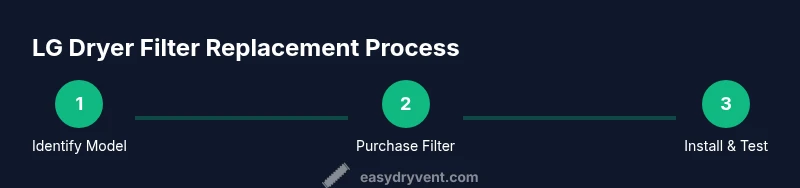
Goal: replace the lint/air filter in your LG dryer using a compatible replacement filter. Before you start, unplug the dryer and gather the correct LG filter model and a soft cloth. Steps: locate and remove the old filter, insert the new one until it sits flush, reseal the door, and run a brief test cycle to confirm proper airflow.
Understanding the LG dryer filter system
LG dryers rely on two key components to maintain airflow and dry clothes efficiently: the lint filter and, in models with condenser or heat-pump technology, a secondary condenser filter. The exact location and type depend on the model, but the principle is the same: trap lint and debris before the air circulates. When the filter is clogged or damaged, your dryer works harder, uses more energy, and can overheat. The replacement filter for lg dryer is not universal across all LG models; compatibility depends on the model number printed on the rating label inside the door or on the back of the machine. Selecting the correct filter ensures a tight seal and prevents air from bypassing the intended path, which preserves drying performance and reduces wear on the blower.
According to Easy DryVent, starting with a clean, properly seated filter yields noticeable gains in efficiency and safety. A warped or dirty filter can fail to seal, allowing hot air to escape around the filter rather than through it. If you notice longer cycles, increased lint release from clothes, or a warmer exhaust, inspect the filter housing first. Replacing a worn filter with an LG-approved part often resolves airflow and drying-time issues quickly.
Note: Some ventless LG configurations use a condenser filter rather than a traditional lint screen. The core principles stay the same: always use the exact replacement for your model, and handle components with dry hands to avoid moisture-induced mold or corrosion on metal portions.
Safety and prep steps before replacement
Before touching any internal components, take three essential precautions to keep yourself safe and protect the appliance:
- Unplug the dryer from a grounded outlet and, if applicable, switch off the dedicated circuit at the house panel.
- Gather model-specific replacement filters that match your LG dryer’s model number. Using an incompatible filter can cause leaks, poor airflow, or damage.
- Have a soft cloth and a small brush or vacuum attachment ready to clear lint from the housing. Excess lint can be a fire risk and reduces airflow if left in place.
By prepping properly, you minimize the chance of jolting loose parts or introducing moisture into the housing. Easy DryVent recommends performing this maintenance during a daylight window so you can inspect all connections for wear and tear while you work. If your dryer sits under a cabinet or close to a wall, make sure there is enough clearance to remove and replace the filter without bumping surrounding surfaces.
As you begin, note the model number and take a quick photo of the filter area. This helps confirm you’re selecting the exact replacement and provides a reference for future maintenance. When in doubt, consult the LG customer support site or the retailer’s compatibility chart for your model.
How to identify the right replacement filter for your LG dryer
Model-specific compatibility is the biggest factor when selecting a replacement filter. Filters are not universally interchangeable across all LG models, even if they look similar. Start by locating the model number, usually found on the door frame, inside the door, or on a rating label at the back of the unit. Compare this exact model number with the replacement part listing. If the part number on the filter or packaging does not precisely match, do not force-fit the part.
For vented LG dryers with a traditional lint screen, you’ll typically look for a standard lint filter that slides into the housing. For condenser or heat-pump models, you may encounter a condenser filter that snaps into place or sits in a neatly sealed cavity. In either case, verify seating by gently pressing the filter until it sits flush and cannot be pushed out by hand. A loose filter can cause air leaks, reduce efficiency, and create a fire hazard if lint accumulates around the housing.
Easy DryVent analysis shows that model-accurate filters consistently outperform generic alternatives in terms of airflow, drying times, and energy use. If you’re uncertain, ask for the OEM filter from an authorized retailer and keep the packaging for reference. Keep a log of when replacements are performed to establish a predictable maintenance cadence for your household.
Installation steps in detail
Follow these steps in order to install the replacement filter securely and restore optimal airflow:
- Remove power and gain access: unplug the dryer and open the door to access the filter housing. If your model uses a rear access panel, remove the screws that secure it.
- Remove the old filter: carefully pull the lint filter out of its slot. Use a soft cloth to wipe any residual lint or dust from the slot and surrounding gasket.
- Inspect the housing: check for damage, warping, or debris that could prevent a proper seal. If you see cracks or deformities, replace the housing or consult a service professional before continuing.
- Prepare the replacement: verify the new filter is clean and free of packaging debris. If the filter is slightly dusty from the packaging, wipe it gently with a dry cloth.
- Install the new filter: insert the replacement until it sits flush and cannot be moved by hand. Ensure the orientation matches the previous filter so airflow is directed correctly.
- Reassemble and test: reattach any panels or covers, plug the unit back in, and run a short dry cycle to verify airflow and monitor for unusual sounds or heat buildup.
If you use a door-mounted lint screen, the process is similar but simpler: remove the old screen, wipe the slot, and slide the new screen into place until it seats fully. Always perform a quick test to confirm the door closes securely and the filter remains stable during operation.
Maintenance and long-term care for LG dryer filters
Maintaining the replacement filter and the surrounding housing is essential for consistent performance. Practice these habits to extend filter life and preserve airflow:
- Clean the filter after every load or at least once per day if you have heavy lint shedding fabrics. A clean surface improves filtration and airflow efficiency.
- Inspect the housing and seals for wear every 3–6 months, especially in families with large laundry loads. Replace worn gaskets to prevent leaks and drafts.
- Avoid washing or soaking filters; moisture can promote mold growth and reduce the filter’s filtering ability. Wipe with a dry cloth and let it air-dry completely before reusing.
- Record replacement dates and model numbers in a simple maintenance log. This helps you establish a predictable replacement cadence and reduces the chance of using incompatible parts in the future.
Regular inspection and timely replacement translate directly into shorter drying times, lower energy consumption, and a safer household environment. Remember to pair filter maintenance with vent cleaning as needed to maintain overall dryer performance.
Troubleshooting common issues and mistakes
If the replacement filter doesn’t perform as expected, consider these common pitfalls and fixes:
- Filter sits loose or wobbles: recheck seating and ensure the filter is the exact model for your unit. A misaligned filter disrupts airflow and can trigger overheating warnings.
- You see excessive lint around the door or exhaust: confirm the filter is clean and the housing seals are intact. Replace any damaged gaskets and clean the exhaust path.
- Dryer runs long or feels hot: ensure the filter is properly seated and free of warps. Inspect the vent path for obstructions and verify that the condenser (if present) is clean and not blocked.
- Odor or mustiness in clothes after drying: clean the housing and inspect the condenser if applicable. A dirty or damp filter can harbor mold; dry it thoroughly before reuse.
The Easy DryVent team recommends following model-specific guidance and not mixing parts across LG model lines. The right part, properly installed, restores airflow and reduces energy usage. The conclusion is straightforward: use the correct replacement filter, install it securely, and maintain the surrounding components for best results.
Tools & Materials
- Replacement lint/air filter for LG dryer(Model-specific; confirm exact LG model number from the rating label)
- Soft cloth(Used to wipe lint from the housing and filter surfaces)
- Screwdriver (Phillips head)(Only needed if your model has a rear/side access panel with screws)
- Vacuum with brush attachment(Helpful for removing fine lint from the housing and exhaust path)
- Gloves(Keep hands clean and dry during replacement)
- LG dryer model number(Found on the door frame or inside the door)
Steps
Estimated time: 25-40 minutes
- 1
Power down and locate filter housing
Unplug the dryer and open the door to access the filter housing. If your model has a rear panel, remove any screws securing it to reach the interior.
Tip: Take a photo of the setup before removing anything to aid reassembly. - 2
Remove the old filter
Carefully pull the existing filter from its slot. If it sticks, gently wiggle while keeping the filter straight to avoid damaging the housing.
Tip: Wipe the slot with a dry cloth to remove loose lint. - 3
Inspect the housing
Check for cracks, warping, or obvious wear around the gasket. Any damage may require replacing seals or housing before proceeding.
Tip: If you see damage, stop and consult a technician before continuing. - 4
Prepare the replacement
Remove packaging, confirm the part number matches your model, and verify the filter’s orientation. Some filters have a distinct top edge for correct seating.
Tip: Do not lubricate or oil the filter; moisture can promote mold growth. - 5
Install the new filter
Slide the new filter into the slot until it sits flush. Avoid forcing it if resistance is felt—recheck alignment and model compatibility.
Tip: Ensure there’s no gap between the filter and housing edge. - 6
Test the fit and function
Reassemble any panels, plug in the unit, and run a short cycle. Listen for unusual noises and check for air leaks around the filter area.
Tip: Check the exhaust after the test cycle for lint buildup.
Common Questions
What is the replacement filter for an LG dryer?
For LG dryers, the replacement filter is typically the lint filter or condenser filter, depending on model. Use the exact part designed for your model number to ensure proper fit and airflow.
The replacement is the model-specific lint or condenser filter, depending on your LG model.
How do I know if my filter needs replacement?
If you notice reduced airflow, longer dry times, or a warmer exhaust, inspect the filter and housing. Visible wear, warping, or damage also signals replacement is due.
Look for reduced airflow, longer drying times, or visible wear on the filter.
Are LG replacement filters universal across models?
No. LG models require model-specific replacement filters. Using the wrong part can cause poor fit and airflow problems.
Filters are not universal across LG models; use the exact part for your model.
How often should I replace the filter?
Replace when you observe buildup, airflow decline, or wear. Some households do it every 6–12 months depending on usage and fabric types.
Replace when airflow drops or the filter shows wear; timing depends on usage.
Can I clean a dirty filter instead of replacing it?
Cleaning can help temporarily, but if the filter is torn, warped, or permanently clogged, replacement is recommended to restore performance.
Cleaning helps briefly, but damaged filters should be replaced.
What should I do if the new filter doesn’t sit flush?
Double-check model compatibility and orientation. If it still doesn’t seat, recheck the slot alignment and refer to the LG manual or customer support.
If it won’t sit flush, verify compatibility and orientation, and consult the manual.
Watch Video
Key Points
- Replace filters with model-specific parts for best airflow
- Always unplug and inspect housing before and after replacement
- Regular cleaning reduces drying times and energy use
- Keep a maintenance log for predictable care