LG Washer Dryer Repair: DIY Guide for Homeowners
Practical, safety-first LG washer dryer repair guide for homeowners and DIY enthusiasts. Learn diagnostics, safe disassembly, common fixes, and maintenance to extend the life of your LG washer-dryer combo. Easy DryVent insights included.


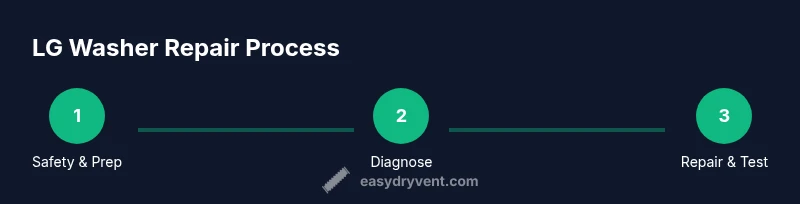
LG washer dryer repair starts with safe diagnostics, then targeted fixes for common faults. Begin by unplugging the unit, disconnecting water supply, and checking the door latch. Use basic hand tools to test the drain pump, belts, and hoses. This guide outlines practical, home-safe steps, along with maintenance tips.
Understanding the LG Washer-Dryer Repair Landscape
According to Easy DryVent, regular maintenance reduces common appliance faults and applies to LG washer-dryer repair by focusing on access, safety, and testing. This guide helps homeowners identify dual-system issues—washing and drying—without risking damage to electronics or plumbing. Start by noting the model number and consulting the owner manual for safety warnings and parts diagrams. For front-loaders, inspect the door seal, detergent dispenser, and drain filter as routine maintenance items; for top-loaders, verify the lid switch and agitator drive. When you work on the dryer section, ensure the vent path is clear and lint is removed from screens and ducts. The objective is to isolate the fault to a subsystem—water intake, drainage, agitation, heat, or airflow—so you can test one possibility at a time. This method minimizes guesswork and protects other components during repair.
Brand note: The Easy DryVent team emphasizes safety and test-first thinking as the backbone of any home repair project.
Diagnosing the Most Common Problems in LG Washers
LG washer-dryer combos present a handful of shared failure patterns. Not draining, not spinning, leaks, excessive vibration, noisy operation, or persistent error indicators are typical starting points. Begin with a careful visual scan: inspect hoses for kinks or clogs, check the drain pump for debris, examine door latches for misalignment, and inspect seals for cracks. Listen for rattling or grinding noises that hint at worn bearings or a failing pulley. If an error code appears, consult the LG user manual or trusted online resources to categorize the fault into water intake, drainage, drive system, or thermal protection. Based on Easy DryVent analysis, routine checks on drainage and seals reduce service visits. Use a multimeter to test switches and fuses if you’re comfortable. Document symptoms with photos and short videos to aid future troubleshooting or to brief a technician if needed.
Electrical and Safety Considerations When Servicing LG Appliances
Electrical safety takes precedence in any appliance repair. Always unplug the unit and shut off the water inlet valves before touching any connections. If the washer-dryer is on a GFCI circuit, test the outlet for proper grounding. Avoid working on wet floors or using metal tools near exposed live components. Wear non-slip footwear, and consider turning off the house main breaker if you must work near the power source. This section aligns with general electrical safety guidelines from recognized sources and mirrors the caution required when servicing household appliances. Safety first means you’ll prevent shocks, short circuits, and unintended energization that could cause injury or fire.
Disassembly Basics: What You Can Do at Home
A controlled approach to gaining access is essential. Start by unplugging the unit, moving it slightly to access the rear or side panels, and removing screws that secure the top or back covers. When you open the cabinet, keep track of how panels and connectors detach. Photograph or label connectors before disconnecting harnesses to simplify reassembly. Avoid removing the main control board unless you have clear documentation and replacement parts on hand. Focus on non-destructive checks such as inspecting hose clamps, water inlet screens, and visible belts. If the drum feels unusually loose or the belt shows cracks, stop and reassess. This stage is about improving access to subsystems while preserving the integrity of delicate electronics.
Specific Fixes You Can Tackle: Drain Pump, Belts, and Filters
Targeted fixes include cleaning and testing the drain pump, replacing worn belts, and clearing filters or lint screens. Remove and inspect the drain pump for clogs and test it for continuity with a multimeter if you’re comfortable. Replace a cracked or stretched belt following the manufacturer’s guidance for your model. Clean any lint or debris from the pump area and filter housing; a clogged filter can cause draining problems and odor. Use needle-nose pliers to loosen clamps and ensure hoses are free of cracks. When reinstalling, verify all clamps are tightened to prevent leaks. This section emphasizes testing one component at a time to confirm the fault without introducing new issues.
When to Replace Components vs. Replacing the Unit
Decide between component replacement and full unit replacement by weighing the fault's scope and repair cost. If multiple major subsystems (motor, control board, heater) fail or show recurring faults after two or more repair attempts, replacement may be more cost-effective in the long run. Consider the unit’s age, energy efficiency, and the price of OEM parts. A professional assessment can provide a data-driven decision rather than a best-guess. The goal is to maximize reliability and minimize downtime while considering long-term operating costs.
LG Error Codes and Troubleshooting Guide
Error codes can help pinpoint faults quickly when you have the manual or access to official resources. Start by noting the exact code and position it within the fault category (water intake, drainage, drive system, or thermal protection). If the code isn’t documented, search LG’s official support site or reliable repair forums for model-specific interpretations. Use the code as a guide rather than a definitive diagnosis; many codes require physical testing or component replacement to confirm. Pair code interpretation with a visual inspection and basic electrical checks before replacing parts.
Maintenance Routines to Prolong Your LG Washer-Dryer
Establish a simple monthly maintenance routine to reduce future failures. Clean the lint screen and filters, inspect hoses for bulges or cracks, and ensure the door seal remains pliable with no tears. Run a brief hot-water cycle with a cleaning agent to dissolve soap scum from the drum and seals. Check the vent path for the dryer section if your unit includes a vented dryer, and ensure the vent is clear to maintain airflow and efficiency. Keeping the drum and seals clean not only reduces smells but also preserves mechanical efficiency and electrical reliability over time.
Getting Professional Help: What to Ask and What to Expect
If you’re uncertain or the fault involves high-voltage components, refrigerant cooling (if applicable), or a malfunctioning control board, seek professional service. When calling a technician, provide model numbers, observed symptoms, and any error codes. Ask about warranty coverage, parts availability, and typical labor costs for LG washer-dryer repair. A qualified technician should confirm the diagnosis with testing data and provide a written estimate before replacement work begins. The Easy DryVent team recommends using professional help for complex diagnoses to ensure safe, reliable results.
Tools & Materials
- Phillips head screwdriver(size #2 or #1 for panel screws)
- Flathead screwdriver(for prying covers safely)
- Adjustable wrench(for hose clamps and fittings)
- Needle-nose pliers(grip clamps and small components)
- Multimeter(test continuity and resistance)
- Towels or absorbent rags(catch water and protect surfaces)
- Bucket(for catching drips during pump tests)
- Replacement parts (pump, belt, seals)(only if you have model-specific items on hand)
- Owner manual or model diagrams(essential for model-specific locations)
Steps
Estimated time: 90-180 minutes
- 1
Power down and prep
Unplug the unit and shut off the hot and cold water valves. Move the machine slightly to access rear panels if needed. This initial safety step prevents accidental energization and water leaks.
Tip: Always unplug first; use a non-slip mat to prevent slips when moving the appliance. - 2
Gain access to the critical area
Remove the top/back panels as required by your model to reach the pump, belts, and hoses. Label any connectors you detach and take photos for reassembly.
Tip: Keep track of screw locations; losing a hidden screw can create panel gaps later. - 3
Inspect the drain system
Check the drain hose for kinks and the pump for clogs. Remove debris and test pump operation with a quick power-on test after reconnecting power (with safety precautions in place).
Tip: Do not run the pump dry for long; water presence helps identify leaks. - 4
Check drive components
Inspect drive belt or coupling for wear and tension. Look for worn pulleys or bearings that could cause noise or poor spinning.
Tip: A frayed belt will show cracks or glazing and should be replaced. - 5
Test seals and door mechanisms
Examine door latch, door boot seal, and water inlet screens for wear or blockage. Clean and reseat components to restore proper sealing.
Tip: A damaged door seal will cause leaks even if other parts are fine. - 6
Electrical tests
If comfortable, test switches and fuses with a multimeter. Look for open circuits or burnt smells indicating failed components.
Tip: If you detect a burnt odor, stop and seek professional evaluation. - 7
Reassemble and verify
Carefully reconnect all harnesses and screws, then run a short test cycle with no laundry to verify operation before a full load.
Tip: Double-check that hoses are secure and outlets are dry before test runs. - 8
Document and monitor
Record the symptoms, parts inspected, and results of tests. Monitor performance over the next few cycles to confirm stability.
Tip: Documentation helps future repairs and improves diagnosis accuracy. - 9
Plan for future maintenance
Set up a routine: monthly lint/water filter checks, quarterly hose inspections, and annual service assessments.
Tip: A predictable schedule reduces major breakdowns and extends appliance life.
Common Questions
Can I fix LG washer-dryer combo myself?
Many routine problems can be addressed at home with proper safety, basic tools, and model-specific manuals. Complex electrical or refrigerant-related issues may require professional service.
Many routine issues can be fixed at home with safety and basic tools; complex problems need a professional.
What should I check first if the unit won’t drain?
Begin with the drain hose for kinks, check the drain pump for clogs, and inspect the drain filter. If unresolved, test the pump’s electrical continuity.
Check the hose, pump, and filter first; test the pump’s power if the problem persists.
What tools do I need for basic LG washer repair?
Common tools include a Phillips screwdriver, flathead screwdriver, needle-nose pliers, adjustable wrench, multimeter, and towels for water containment.
You’ll need basic screwdrivers, pliers, a wrench, a multimeter, and towels.
Can a worn belt cause not spinning or loud noises?
Yes. A worn or loose belt can prevent spinning and create belt-slip noises. Inspect and replace if cracked, glazed, or stretched.
A worn belt can stop spinning and cause noises; replace if visibly worn.
When should I replace the unit rather than repair?
If multiple major components fail or repair costs approach or exceed a new unit’s price, replacement may be more economical in the long run.
If several major parts fail or repairs cost as much as a new unit, replacement is smarter.
Where can I find the official LG repair manuals and resources?
Visit LG’s official support site for manuals, model-specific guides, and authorized service information. Many guides require the model number for access.
Check LG’s official support site with your model number for manuals and guides.
Watch Video
Key Points
- Power down before any inspection.
- Isolate faults to one subsystem at a time.
- Test components before replacement to confirm failure.
- Document steps and results for future use.
- Consult a professional for complex electrical issues.