How to Check Dryer Thermostat: Step-by-Step DIY Guide
Learn how to check your dryer's thermostat safely, test for continuity, interpret symptoms, and decide when to repair or replace. Easy DryVent guides you through tools, steps, warnings, and maintenance for safer, more efficient drying.


By following these steps, you will safely check your dryer's thermostat, test for continuity, and decide whether replacement or repair is needed. You’ll need basic tools, a power source off, and model-specific wiring diagrams. This guide focuses on safe, DIY diagnostics for common electric and gas dryers. Plus, you’ll learn how to interpret readings and when to replace parts.
What is a dryer thermostat and why it matters
According to Easy DryVent, the dryer thermostat is a small, but critical switch that opens and closes the power circuit to the heating element to regulate the air temperature inside the drum. The thermostat protects your clothes and home by preventing overheating. The Easy DryVent team found that thermostat failures often stem from wear, loose wiring, or airflow problems rather than a single dramatic event. A healthy thermostat helps your dryer dry clothes evenly, save energy, and extend the life of other components. In many models, there are at least two thermostats: a cycling thermostat that maintains a stable heat, and a high-limit thermostat that acts as a safety shutoff if temperatures climb too high. Understanding their roles is the first step in diagnosing thermostat trouble and achieving reliable drying performance.
Safety first: risks of a faulty thermostat
Working on a dryer involves high heat and rotating parts, so safety must come first. A faulty thermostat can allow the drum to overheat, a condition that can damage insulation, melt plastic, degrade clothing, and create a serious fire hazard. In some cases, overheating will trip the dryer's thermal fuse, cutting power and preventing further operation. If you repeatedly reset the fuse, you may bypass protection with dangerous consequences. Always disconnect power at the outlet and at the circuit breaker before any inspection. Wear safety gloves and eye protection, and avoid touching exposed heating elements. If you smell burning plastic, see smoke, or hear sizzling sounds, stop immediately and unplug the unit. This guide emphasizes safety and provides clear steps to minimize risk while testing thermostat function.
Symptoms of a dryer thermostat problem
Common signs point to thermostat trouble rather than a pure heating element fault. Look for:
- Clothes taking longer to dry or remaining damp after a full cycle.
- Dryer feeling unusually hot or overheating while running.
- Erratic or incomplete cycling between heat on and off.
- Frequent tripping of the thermal fuse or circuit breaker.
- Odd smells or smoke coming from the dryer.
If you observe several of these, it’s time to inspect the thermostat and related airflow components.
How a dryer thermostat works
A dryer thermostat is a bimetal switch that reacts to temperature. The cycling thermostat opens and closes the circuit to the heating element to keep the drum within a target range, while a high-limit thermostat acts as a safety shutoff at dangerously high temperatures. These devices rely on proper airflow, clean vents, and intact wiring to function correctly. When airflow is blocked or the thermostat drifts out of spec, the dryer can overheat, forcing the thermostat to overwork and potentially fail. Understanding this mechanism helps you interpret symptoms and plan the right test sequence.
Diagnostic approach: plan before you test
Begin with a clear plan: identify thermostat location, confirm you have model-specific diagrams, and ensure you have the proper tools. Safety should guide every decision: unplug the unit, disable any residual power, and prepare a clean workspace. Gather a multimeter, screwdrivers, a flashlight, and any replacement parts if you anticipate needing one. A quick pre-check of airflow (lint trap, vent hose, blower) can reveal root causes that mimic thermostat failure. This approach reduces unnecessary disassembly and helps you isolate the thermostat from other heat-dissipating problems.
Common causes of thermostat failure and fixes
Thermostats can fail due to wear from repeated cycling, loose or corroded terminals, or airflow restrictions that cause overheating. Poor electrical connections can also mimic a failed thermostat by interrupting current flow. Often, the remedy is straightforward: clean or re-seat terminals, replace a worn thermostat, and restore clean airflow by removing lint buildup from the ductwork and blower. In some models, a faulty thermal fuse may be triggered by the same overheating condition; if the fuse is blown, the dryer will not heat despite a good thermostat. Always verify the entire heating circuit for safety and reliability.
Testing with a multimeter: readings and interpretation
Safety first: ensure the appliance is unplugged before testing. Set your digital multimeter to continuity or the lowest resistance range. With the thermostat disconnected from power, test across the two terminals. A healthy cycling thermostat typically shows continuity at room temperature and changes as it heats; a high-limit thermostat may show continuity only within a narrow temperature window. If you get no continuity at room temperature, or continuity persists when heated, the thermostat is likely faulty and should be replaced. Always compare readings to your model’s spec sheet or service manual for exact values. If in doubt, consult a professional.
Maintenance and prevention to extend thermostat life
Preventing thermostat failure centers on preserving airflow and reducing heat stress. Regularly clean lint from the lint trap and vent hose, ensure the blower is unobstructed, and avoid overloading the drum, which can cause excessive heat. Check door seals and cabling for wear that could cause arcing or shorts. Schedule periodic inspections, especially if you notice changes in drying performance or the drum temperature. A routine check can catch evolving issues before they cause a complete failure.
Replacement decisions: when to repair vs replace
If testing confirms a faulty thermostat, you must decide whether to replace just the thermostat or the entire heating assembly. In many cases, replacing the thermostat is cost-effective and restores safe, predictable operation. If multiple components are degraded, or if the model lacks a straightforward replacement path, consider replacing the entire heating circuit or enlisting professional service. Always verify compatibility with your model number and follow the manufacturer’s guidelines. After replacement, re-test the circuit and observe several cycles to confirm stable performance.
Tools & Materials
- Digital multimeter(Set to continuity/ohms; test at cool and heated states if applicable.)
- Screwdrivers (Phillips & flat-head)(To remove access panels and thermostat housing.)
- Nut driver or socket set(For panel screws securing housing.)
- Needle-nose pliers(To gently disconnect and reseat wires.)
- Safety gloves and eye protection(Protect hands and eyes during internal work.)
- Safety flashlight( illuminate dark interior components.)
- Model-specific service manual(Helpful for exact thermostat location and specs.)
- Replacement thermostat kit(Use only if you confirm part compatibility.)
Steps
Estimated time: 30-60 minutes
- 1
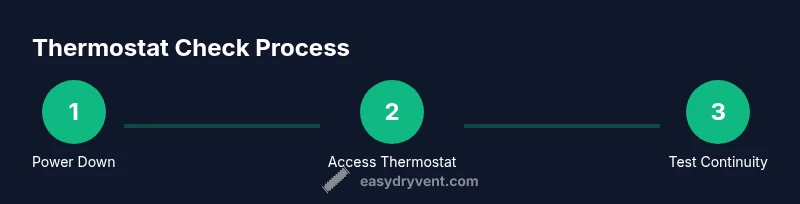
Power down and unplug
Begin by turning off the dryer at the wall outlet and unplugging it from the power source. If your model uses a dedicated circuit, switch off the corresponding breaker. Confirm the power is off with a non-contact voltage tester before touching any components.
Tip: Double-check the power source is fully disconnected to avoid shock. - 2
Access the thermostat housing
Remove the back panel or front access panel according to your model. Locate the thermostat housing near the blower wheel or heating element. Use a flashlight to clearly see the terminals and mounting screws.
Tip: Keep screws organized; thermal fuses are usually near the thermostat assembly. - 3
Label and disconnect wires
Carefully label each wire with masking tape or take a photo before disconnecting any terminals. Detach wires one at a time using insulated pliers to avoid shorting anything.
Tip: Document the wiring route for accurate reconnection. - 4
Test for continuity at room temperature
With the thermostat disconnected, set the multimeter to continuity. Touch the probes to the thermostat terminals and note whether continuity exists at room temperature. Some thermostats close (show continuity) when cold and open when hot; others behave differently.
Tip: If your reading is unclear, consult the service manual for the expected behavior. - 5
Apply heat and re-test
Gently apply heat to the thermostat housing using a heat source or the oven function within safe limits (do not overheat). Re-check continuity as the thermostat warms. If continuity remains unchanged or readings are inconsistent, the thermostat is likely faulty.
Tip: Never apply excessive heat; monitor closely to avoid damage. - 6
Inspect related components
While you’re in there, inspect wiring terminals for corrosion, loose connections, or melted insulation. Check the vent path for blockages and ensure the blower is turning freely.
Tip: A blocked vent or dirty blower can cause overheating, confusing thermostat readings. - 7
Reconnect, seal, and reassemble
Reconnect all wires exactly as they were, secure the thermostat, and replace panels. Ensure gaskets or seals are intact to prevent air leaks.
Tip: Avoid overtightening screws; snug is usually enough to maintain a good seal. - 8
Test the dryer post-repair
Plug in the dryer and run a short cycle to observe heat cycling and airflow. Monitor for normal heat, consistent cycling, and no excessive temperatures.
Tip: Watch for abnormal noises, smells, or error codes during first run.
Common Questions
What is a dryer thermostat and what does it control?
A dryer thermostat is a temperature-sensitive switch that opens and closes the heating circuit to regulate heat. It protects the dryer and clothes by keeping temperatures within safe limits.
A dryer thermostat is a temperature-controlled switch that keeps the dryer from overheating, protecting both the machine and your clothes.
Can I test a thermostat without tools?
Tools like a digital multimeter or continuity tester are needed to confirm whether the thermostat is opening and closing as designed. Visual inspection alone isn’t reliable.
You’ll need a multimeter or similar tester to confirm the thermostat is behaving correctly.
What readings indicate a faulty thermostat?
No continuity at room temperature or continuity that does not change with heat typically indicates a faulty thermostat. Always compare readings to your model’s specifications.
If there’s no continuity when cool or no change when heated, the thermostat is likely bad.
Is it safe to replace a thermostat myself?
Yes, with proper precautions: unplug the unit, discharge any stored energy, and follow the model’s guidelines for replacement. If you’re unsure, consult a professional.
It can be safe to replace it yourself as long as you follow safety steps and use the right part.
How can I prevent thermostat failure?
Maintain airflow by cleaning lint traps and ducts, and avoid overloading the dryer. Regular inspections help catch issues before they cause overheating.
Keep vents clean and avoid overloading the dryer to extend thermostat life.
What if my dryer is gas-powered?
Gas dryers share the same thermostat principles, but consult your model’s manual for location and electrical considerations. Work carefully around gas lines and valves.
Gas or electric, follow the manual for thermostat location and safety steps.
Watch Video
Key Points
- Identify thermostat location and role in temperature control.
- Use a multimeter to assess continuity and interpret readings accurately.
- Decide repair vs replacement based on symptom severity and model specs.
- Maintain clean airflow to prevent thermostat-related overheating.