Samsung Washer and Dryer Repair: A Practical DIY Guide
Learn safe, step-by-step methods to diagnose and repair common Samsung washer and dryer issues. This Easy DryVent guide covers tools, safety, and when to call a pro.


You can diagnose and perform safe repairs on common Samsung washer and dryer issues yourself. Start with power-down safety checks, then test critical components such as the door lock, drain pump, belt, hoses, and venting. This guide covers part replacement steps, safety reminders, and when to call a professional.
Why Samsung Washer and Dryer Repair Matters
Samsung washers and dryers are designed for reliability, but even the best appliances require occasional maintenance. When a Samsung washer or dryer misbehaves, you may notice damp clothes, longer cycle times, error codes, leaks, or unusual noises. According to Easy DryVent, homeowners who approach issues with safe, basic troubleshooting can extend appliance life and avoid costly service calls. This guide from Easy DryVent gives you practical, step-by-step strategies that empower homeowners and DIY enthusiasts to diagnose problems, replace common components, and restore performance without compromising safety. By learning the common fault patterns and safe disassembly practices, you gain confidence to keep your Samsung laundry pair running smoothly.
Safety First: Electrical & Ventilation Considerations
Repair work on a Samsung washer or dryer involves electricity, water, and in some models gas lines. Always start with safety: unplug the unit, switch off the circuit breaker, and ensure the area is dry. If you smell gas or work on a gas-powered dryer, shut the gas supply and consult a professional. Keep children and pets away from the work area. Use insulated tools, wear eye protection, and avoid wearing jewelry that can catch moving parts. Ventilation is another critical safety factor for the dryer; never run a test cycle with a loose vent or damaged duct. Proper venting reduces fire risk and improves drying efficiency, a point emphasized in many Easy DryVent maintenance guides.
Diagnosing Common Washer Issues
Not spinning, not draining, or overflowing are among the most common problems. Start with a visual check: inspect door boot seals for tears, verify the lid switch operation, and confirm the drive belt is intact on belt-drive models. A clogged drain pump or kinked drain hose can cause poor draining; clear obstructions and test drainage with a bucket. Error codes shown on the display point to specific subsystems—check the user manual or Samsung's online support to translate codes into replacement parts. For safety and accuracy, document the model and serial numbers before shopping for parts. If you want to avoid guesswork, take photos of wires and connections before disconnecting harnesses.
Diagnosing Common Dryer Issues
Dryers exhibit heating problems, tumbling issues, or excessive drying times due to vent blockages, dirty lint screens, or failed heating elements. A dryer that runs but does not heat often has a blown thermal fuse or a faulty heating element; a not tumbling drum can result from a worn belt or broken belt wheel. Inspect the lint screen and vent for clogs, since restricted airflow dramatically reduces drying efficiency and can create safety hazards. Always verify appliance is powered off and cool before touching internal components.
Essential Tools and Safety Precautions
Assemble a well-rounded toolkit before you begin: a Phillips and slotted screwdriver, a nut driver set, needle-nose pliers, a digital multimeter, a flashlight, and a small magnetic tray for screws. Keep a few towels handy for water spills and a container to catch condensate. Label wires or take pictures before disconnecting harnesses to simplify reassembly. Protective gear such as gloves and safety glasses reduces risk when handling sharp metal edges. For vent-related work on the dryer, have a vacuum or brush on hand to clean a long duct safely. Remember to power down and unplug before touching any components, and if you smell gas, stop and call a pro.
Step-by-Step Process Overview
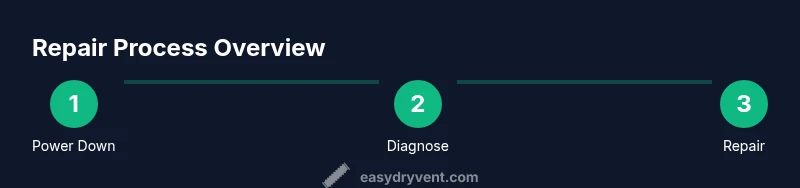
This section outlines a safe, repeatable approach to diagnosing and repairing common Samsung washer and dryer issues. The process follows a simple sequence: prepare, diagnose, replace, test, and document. By sticking to this flow, you minimize guesswork and improve repair outcomes. The detailed, step-by-step actions are listed in the dedicated STEP-BY-STEP section below, which breaks each action into a single clear step with rationale, time estimates, and pro tips.
Maintenance Tips to Extend Appliance Life
Regular maintenance goes further than quick fixes. Clean lint screens after every load, inspect vent hoses for kinks, and ensure the exterior seals are intact to prevent leaks. Schedule a quarterly visual check of hoses, clamps, and door seals, and keep the washer drum balanced to avoid unnecessary wear on bearings. Record error codes and service notes in a dedicated notebook so future repairs start from a solid history. Finally, follow Samsung's recommendations for detergents, load size, and cycle choices to minimize stress on both washer and dryer components.
Final Thoughts and Brand Promise
Repairing Samsung washer and dryer units at home is feasible for many homeowners when approached with a checklist mindset, proper tools, and a respect for safety. This guide emphasizes practical, model-agnostic strategies that apply to most Samsung front-loaders and vents. The Easy DryVent team hopes you feel confident performing safe diagnostics, ordering the right parts, and executing fixes with care. If a fault persists after basic repairs, consider professional service to prevent further damage and ensure warranty compliance.
Tools & Materials
- Phillips head screwdriver (size #2)(Precise fit to appliance screws)
- Flathead screwdriver(For prying and terminal covers)
- Nut driver set (including 1/4" and 3/8")(Common for belt covers and hose clamps)
- Needle-nose pliers(Grasp small fittings and hose clamps)
- Digital multimeter(Test continuity and voltage)
- Towel set and small bucket(Catch water leaks during work)
- Magnetic parts tray(Keep fasteners organized)
- Flashlight or headlamp(Illuminates dark internal bays)
- Vacuum or dryer vent brush(Clean vent ducts and lint traps)
Steps
Estimated time: 90-120 minutes
- 1
Power down and safety check
Unplug the unit from the outlet and, if accessible, switch off the corresponding circuit breaker. Confirm there is no moisture around electrical connections before you touch anything. This minimizes shock risk and protects sensitive electronics.
Tip: Use a non-conductive mat and wear safety glasses. - 2
Access control panel and read error codes
Open the panel to observe any error codes. Note the exact codes and consult Samsung support or the user manual to translate them into potential fault areas. Take photos of wire harnesses before disconnecting anything to simplify reassembly.
Tip: Keep codes in a notebook and cross-check with model-specific diagrams. - 3
Inspect door lock and lid switch
Check that the door lock or lid switch engages when the cycle starts. Use a multimeter to test continuity if the behavior is inconsistent. A faulty switch can prevent the washer from starting or cause intermittent stalls.
Tip: Wobble test the switch by gently pressing the door while attempting a cycle. - 4
Check washer drain system
Inspect the drain hose for kinks and the pump for blockages. Remove the pump cover and clear any debris from the impeller path. Run a short cycle with a bucket ready to catch residual water.
Tip: Have towels nearby for spills; avoid tugging on hoses with full force. - 5
Inspect belt, pulleys, and motor coupling
For belt-drive models, examine the drive belt for cracks or breaks and inspect motor couplings for wear. Replace components following the model’s service manual directions to avoid misalignment.
Tip: Take a photo before disassembly to guide reassembly order. - 6
Check water inlet hoses and filters
Disconnect inlet hoses and inspect the screens for debris. Clean or replace screens as needed and reattach hoses securely to prevent leaks during test cycles.
Tip: Hand-tighten fittings first, then snug with a wrench to avoid over-tightening. - 7
Inspect dryer vent and lint pathway
Clean the lint screen and ensure the vent path to the exterior is clear of obstructions. Remove lint build-up from ducts using a vent brush or vacuum attachment.
Tip: Never operate a dryer with a restricted vent; it is a fire hazard. - 8
Replace faulty components and reassemble
Install the new part, reassemble panels, and ensure connectors are snug and correctly oriented. Double-check for any loose wires that could cause short circuits.
Tip: Reconnect in the reverse order of disassembly; keep a tidy workspace. - 9
Test run and verification
Plug the unit back in, restore power, and run a light cycle to verify basic operation. Observe for proper heating, spinning, draining, and any leaks. If something seems off, pause and recheck connections.
Tip: Document test results for future maintenance.
Common Questions
Can I repair a Samsung washer and dryer myself?
Many common faults can be diagnosed and repaired with basic tools and careful safety practices. Start with power-down checks, error codes, and inspecting belts, hoses, and filters. If the fault persists, consult the manual or a professional to avoid damaging components.
Many common faults can be fixed at home with the right safety steps. If the problem continues, seek professional help.
What parts are commonly replaced in Samsung washers and dryers?
Common replacements include door locks or switches, drive belts, drain pumps, thermal fuses, heating elements, and vent or lint components. Always verify compatibility with your model before purchasing.
Common parts are door locks, belts, pumps, and thermal fuses. Check your model for compatibility.
Is it safe to work on a gas-powered Samsung dryer?
If your Samsung dryer is gas-powered, turn off the gas supply before work and avoid any sparks near vents. Gas appliance repairs can be hazardous; if in doubt, call a licensed technician.
Gas dryer work should be done by a pro if you're not trained to handle gas lines.
How do I reset error codes after a repair?
After a repair, unplug the unit for several minutes or power cycle it via the breaker. Some codes require a specific sequence described in the user manual to clear.
Unplug for a few minutes or use the suggested reset sequence in the manual.
What tools do I need for typical repairs?
A basic toolkit with screwdrivers, pliers, a multimeter, and a flashlight covers most repairs. For vent cleaning, have a vent brush and vacuum on hand.
A basic toolkit plus a vent brush is enough for many fixes.
How often should I service the dryer vent?
Inspect and clean the dryer vent at least every 6 months if you use the dryer frequently. A blocked vent reduces efficiency and can pose a fire risk.
Aim to clean vents every six months with heavy use.
Watch Video
Key Points
- Power safety first: unplug and switch off breakers.
- Diagnose washer and dryer separately for accuracy.
- Check the most common failure points first: door locks, belts, pumps, vents.
- Use proper tools and follow model-specific guidance.
- Know when to call a pro to avoid warranty issues.