Dryer Keeps Tripping Breaker: Troubleshooting Guide
Diagnose and fix a dryer that keeps tripping the breaker with practical safety checks, common causes, and a clear step-by-step guide from Easy DryVent for homeowners and DIYers.


Most likely, the breaker trips because the dryer is drawing more current than the circuit can handle, due to overload, a faulty heating element, a short in the cord, or a blocked vent causing overheat. First, unplug and reset the breaker, then inspect the outlet and cord for damage, clean lint from the vent, and avoid running the dryer with other high-draw appliances.
Why dryer keeps tripping breaker
When the dryer keeps tripping breaker, you’re signaling that the circuit is being overloaded or there’s a fault in the appliance or its wiring. According to Easy DryVent, the most common culprits are an overloaded circuit from running multiple high-draw devices at once, a damaged outlet or cord, lint buildup that blocks airflow, and vent restrictions that cause the dryer to overheat. The risk isn’t just nuisance; prolonged overload can overheat the dryer and create fire hazards. Start with the simplest checks first and work toward the more involved fixes. This approach keeps you and your home safe while you regain efficient drying performance. The Easy DryVent team found that safely addressing venting and electrical connections dramatically reduces the chance of future trips.
Common causes at a glance
- Overloaded circuit: A standard home circuit may be shared with other appliances; running multiple high-draw devices can trip the breaker.
- Damaged outlet or dryer cord: Worn or scorched outlets or frayed cords increase resistance and current draw, triggering a trip.
- Faulty dryer components: A failing heating element, relay, or motor can create a short or surge.
- Vent and lint restrictions: A clogged vent or trapped lint reduces airflow, making the dryer overheat and pull more current.
- Wiring or panel issues: A loose terminal block or a faulty breaker can cause intermittent trips or arcing.
Safety first: immediate steps you should take
- Unplug the dryer and switch off the corresponding breaker before inspecting. Do not touch a live outlet.
- Visually inspect the plug, cord, and outlet for scorch marks, melted insulation, or loose fittings. If you see damage, replace components or call a licensed electrician.
- Check the lint trap and vent path for blockages; a clogged vent is a frequent reason for overheating and trips.
- Avoid using the dryer if it continues to trip; continued use can worsen electrical faults and increase fire risk.
Diagnostic flow: how we approach the problem
This section outlines a methodical approach to identify the root cause without jumping to conclusions. Start with the simplest checks (power and venting), then assess the electrical components, and finally evaluate the dryer itself. If any step reveals damage or if the breaker continues to trip after basic fixes, escalate to professional service. Our flow emphasizes safety, documentation, and controlled experimentation so you don’t miss subtle signs of trouble.
Step-by-step fixes for the most common cause
The most common fix is a vent-freeing and circuit reassessment. Begin by ensuring the dryer is on a dedicated circuit, then clean the lint trap, lint screen housing, and the entire vent run. Inspect the outlet and cord for wear, replace damaged parts, and test again. If the breaker trips again, the issue is more likely electrical (panel, wiring, or a faulty dryer component) and should be evaluated by a pro. Easy DryVent recommends keeping a maintenance log to track vent cleanliness and electrical inspections.
Tips & warnings: safe operation and common mistakes
- Always unplug before touching any electrical components.
- Do not use extension cords with a dryer; they are not designed for high current draws.
- Never bypass the lint trap or vent if you suspect a blockage. Regular cleaning is essential for safety and efficiency.
- If you smell burning or see visible damage, stop and call a professional immediately.
Prevention and maintenance tips
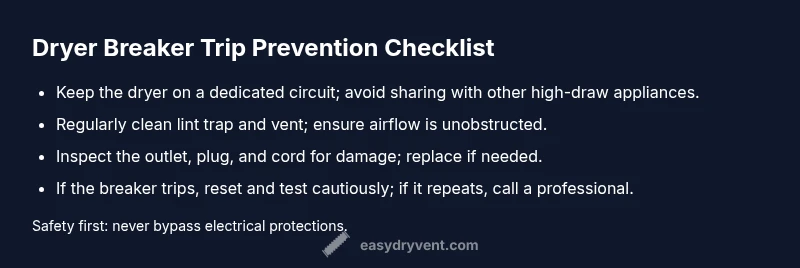
- Schedule vent inspections every 6–12 months, depending on usage and duct length.
- Clean the lint trap after every load and inspect the vent path for kinks or crushed sections.
- Consider a dedicated 30A circuit if your dryer is installed on a shared or older circuit.
- Periodically test the outlet and cord for wear, and replace any damaged components promptly.
When to call a professional
If the breaker trips persist after basic venting and cord checks, or you notice scorching, loose connections, or a burning odor, contact a licensed electrician or appliance technician. Electrical problems can be hazardous and may require panel upgrades or wiring repairs. A professional can safely verify circuit capacity and inspect the dryer’s internal components for shorts or faults.
Steps
Estimated time: 60-90 minutes
- 1
Power down and safety check
Unplug the dryer and switch off the corresponding breaker. Verify the area is dry and clear of water sources. This initial safety step protects you from shock while inspecting cord and outlet.
Tip: Use a non-contact voltage tester to verify the outlet is dead before touching; - 2
Inspect the plug and outlet
Look for scorch marks, melted insulation, or loose fittings in the outlet and plug. Replace any damaged parts before testing again. A loose connection can cause arcing and trips.
Tip: If the outlet shows signs of damage, do not reuse it; call a licensed electrician. - 3
Check the dryer cord and terminal block
Examine the cord for fraying or cuts. If any insulation is damaged, replace the cord. Inspect the terminal block inside the dryer for loose screws or burned spots.
Tip: Only perform inside-dryer inspections if you are comfortable and the unit is unplugged. - 4
Clear the vent and lint filter
Remove lint from the filter and clean the entire vent run. Ensure there are no kinks, crushed sections, or long sections with poor airflow. A blocked vent is a common cause of overheating and trips.
Tip: Schedule a vent cleaning if you cannot reach the full length of the duct easily. - 5
Test on a dedicated circuit
If possible, move the dryer to a dedicated circuit or use a known-good outlet away from other high-draw devices. Run a short test cycle with a light load to observe breaker behavior.
Tip: Avoid testing with a full load until you confirm the circuit is stable. - 6
Evaluate the need for professional help
If the breaker trips again after these checks, the issue likely involves internal dryer components or wiring in the panel. Schedule a professional inspection to avoid risk.
Tip: Document symptoms, load types, and recent changes to help the technician diagnose quickly.
Diagnosis: Dryer keeps tripping breaker
Possible Causes
- highOverloaded circuit or shared circuit with other high-draw appliances
- highDamaged outlet or dryer cord
- mediumVent or lint buildup causing overheating
- mediumFaulty heating element or motor short
- lowWiring issue or loose terminal block
- lowBreaker itself is faulty
Fixes
- easyReset breaker and unplug dryer; inspect outlet and cord for damage
- easyClean lint trap and vent; ensure vent is unobstructed and properly connected
- easyTest the dryer on a dedicated circuit or different outlet if available
- mediumReplace damaged cords, outlets, or breakers; upgrade circuit if needed
- hardHave a professional inspect for loose wiring or panel issues
Common Questions
Why does my dryer trip the breaker even on a fresh circuit?
A fresh circuit can still trip if the dryer is drawing more current than the circuit rating or if there is a hidden fault in the dryer, cord, outlet, or vent. Start with vent cleaning, cord inspection, and verifying the circuit is truly dedicated to the dryer.
A new circuit can still trip if the dryer pulls more current or there’s a hidden fault. Begin with vent cleaning and inspecting the cord and outlet.
Could a damaged plug cause breaker trips?
Yes. A damaged plug or cord can create resistance or arcing, which can trip the breaker or pose a fire hazard. Replace damaged components before testing again.
Yes. Damaged plugs or cords can arc and trip the breaker; replace them before testing again.
Is it safe to continue using the dryer after a breaker trips?
No. A breaker trip indicates an electrical fault or overload. Continuing to use the dryer without addressing the cause can lead to fire risk or further damage.
No. Don’t use it again until the cause is diagnosed and repaired.
Can lint buildup cause breaker trips?
Yes, lint buildup can restrict airflow, cause overheating, and trigger higher current draw. Regular vent and lint cleaning reduces this risk.
Lint buildup can cause overheating and trips. Clean vents regularly.
When should I call a professional?
If trips continue after basic checks or you notice burning smells, loose connections, or damaged components, contact a licensed electrician or appliance technician.
Call a professional if trips persist or you detect burning smells or damaged wiring.
What maintenance helps prevent trips long-term?
Keep vents clean, run periodic safety checks, and verify circuit capacity. A dedicated circuit for the dryer is often a wise preventive measure.
Regular vent cleaning and a dedicated circuit help prevent trips.
Watch Video
Key Points
- Unplug and reset the breaker before inspections
- Check outlet, cord, and vent for damage or blockages
- Test on a dedicated circuit to confirm capacity
- Call a professional if trips persist after basic checks