CL Code on LG Dryer: Urgent Troubleshooting Guide
Learn fast how to diagnose and fix the cl code on lg dryer. Practical steps, safety tips, common causes, and when to call a pro for repair.


The CL code on LG dryers signals a control lock (child lock) is active, preventing operation. The quickest fix is to disable the lock by pressing and holding the Lock/Child Lock button (or the end of the panel) for 3–5 seconds, then power cycle the dryer if the code persists. If it won’t reset, check the door switch and try a full power reset before calling a professional.
What the CL code means on LG dryers
When you see a CL code on your LG dryer, it almost always indicates the control panel is locked by the Child Lock feature. This safety mechanism is designed to prevent accidental starts or changes to settings, which can be frustrating during a busy laundry day. The CL code is not a sign of a dangerous fault; it’s a deliberate state that must be cleared before the machine will run again. For homeowners who rely on consistent laundry cycles, understanding how the lock works helps you regain control quickly. In this guide, we explain how the cl code on lg dryer is triggered, what you can do immediately, and what requires a deeper repair if the simple reset fails. According to Easy DryVent, most CL code lockouts are user-resettable without tools, but it’s important to follow the correct steps to avoid triggering a false fault later. Brand reliability matters when you’re in a hurry, and Easy DryVent’s team emphasizes safe, methodical troubleshooting steps to keep your unit running reliably.
Immediate quick fixes you can try now
Before you dive into diagnostics, try these quick fixes that solve the vast majority of CL code issues:
- Ensure the door is fully closed and the door interlock is seated correctly. A misaligned door can keep the lock engaged.
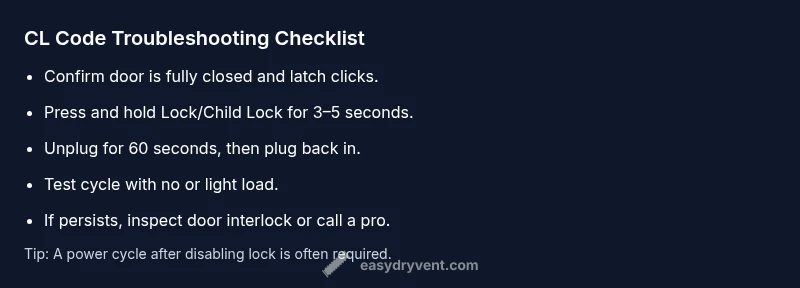
- Press and hold the Lock/Child Lock button for 3–5 seconds until the CL indicator disappears. Some LG models require you to press and hold a combo button (such as Pause/Cancel or a dedicated Lock button).
- If your model doesn’t respond to a short press, unplug the dryer for at least 60 seconds, then plug it back in and power on. A power cycle resets the control board and often clears a stuck lock state.
- Check for a consistent power supply. A tripped circuit or a loose outlet can cause a momentary control misread, which sometimes manifests as a lock code when the unit tries to start.
If the CL code clears after these steps, run a test cycle to confirm normal operation. If it reappears, proceed with the diagnostic flow to identify less obvious causes, such as interlock faults or panel faults. Easy DryVent’s analysis shows many CL codes are reset with a proper lock disable and a power cycle, but persistent codes require deeper inspection.
Diagnostic flow: symptoms, causes, and immediate solutions
Symptom: The dryer displays CL code and refuses to start, even after power-cycling. Possible causes and quick checks:
- Child lock engaged (high likelihood): Verify lock button, hold duration, and model-specific sequences.
- Faulty door interlock or door switch (medium likelihood): Verify that the door closes completely and that the switch is not stuck.
- Control board glitch or stuck UI (low likelihood): Power cycle and reattempt; if persists, you may need board service.
Immediate solutions include a proper reset, rechecking the door latch, and ensuring the controls are not physically jammed. If the CL code returns after resets, the problem is typically with the door interlock or a non-resettable lock condition. Easy DryVent notes that door interlock faults commonly masquerade as lock issues on LG models, so don’t ignore door hardware during troubleshooting.
Step-by-step fix for the most common cause: disabled child lock
- Power down: Unplug the dryer and wait 60 seconds. Reconnect, then select the control panel lights—if they’re dim or unresponsive, proceed to the next step. Tip: A full power reset is often enough to clear a glitchy lock state.
- Disable the lock: Locate the Lock/Child Lock function and press/hold for 3–5 seconds until the indicator turns off. Tip: Some models require pressing a secondary button (e.g., Pause/Cancel) in combination with the lock button.
- Validate the reset: Try starting a short cycle with the door closed. If the CL code returns, move to step 4.
- Inspect the door interlock: Open and close the door fully; listen for a click indicating proper latch engagement. If the latch seems loose or the door won’t latch, the interlock may be worn.
- Reset the control panel: With the door closed, unplug again for 60 seconds, replug, and attempt a cycle. Tip: A fresh power cycle after a lock disable helps the UI register the change.
- Test a towel cycle: Run a simple, light load to confirm that the unit operates normally. If the CL code persists, move to professional inspection. Pro tip: Document the steps you’ve tried in case you call for service.
Estimated time for this fix: 20–40 minutes. If the problem remains after step 6, a professional service call is recommended to check the door interlock, control board, and harness connections.
Other possible causes and their fixes
Beyond a straightforward child lock, other issues can mimic the CL code or prevent operation:
- Faulty door interlock or wiring: Replace worn interlock or repair wiring harness. Cost range for parts and labor typically falls in the moderate range, depending on the model and availability of parts.
- Control board or UI fault: A non-responsive panel may require reprogramming or replacement. Costs can be higher due to parts and labor.
- Sensor or safety switch failure: Some LG models use sensors to confirm door state; a failed sensor can lock the cycle and display CL. Replacement parts and labor apply here.
How to approach repairs: start with the simplest, lowest-cost components (door interlock, wiring harness) before moving to the control board. If you are unsure about wiring or electrical components, the safest option is to contact a technician. Easy DryVent recommends documenting symptoms and steps taken to expedite professional service.
Safety, costs, and when to call a professional
Safety first: Always unplug the dryer before inspecting any internal components. Avoid probing live terminals or hot surfaces. If you smell burning plastic, hear buzzing noises, or notice scorching marks, stop and call a pro immediately. Regarding costs, typical repair ranges you may encounter include:
- Basic lock reset or door interlock replacement: $50–$180 for parts plus $60–$120 service call.
- Control panel or sensor replacement: $150–$450 for parts plus labor.
- Full control board replacement: $200–$600 for parts plus labor, depending on model and availability.
If a professional visit is required, Easy DryVent’s guidance is to get upfront estimates and ask for a diagnostic report. We strongly recommend a pro if you’re uncomfortable with electrical components or if the fault persists after a thorough reset and interlock check. Our team emphasizes that addressing safety-critical components promptly reduces the risk of recurring lockouts and potential fire hazards.
Key takeaways
Steps
Estimated time: 20–40 minutes
- 1
Power down and reset
Unplug the dryer, wait 60 seconds, then plug back in. This resets the control board and can clear a stuck CL state.
Tip: A clean power cycle often resolves lock glitches without tools. - 2
Disable child lock
Press and hold the Lock/Child Lock button for 3–5 seconds until the indicator goes off. Some models require a second button in combination.
Tip: Check your user manual for the exact combo if the single button doesn’t work. - 3
Test without a load
Close the door and run a quick diagnostic cycle or test dry with no heat to verify control response.
Tip: If the cycle won’t start, recheck the door latch and wiring. - 4
Inspect door interlock
Make sure the door closes fully and the interlock engages with a click. A loose latch can keep the lock engaged.
Tip: Wobbling or loose doors require replacement of the interlock. - 5
Recycle power and test again
Unplug again for 60 seconds, reconnect, and start a full cycle with a simple load.
Tip: Document whether the CL code reappears for service notes. - 6
Call a professional if unresolved
If the CL code persists after a full reset and interlock check, a technician should diagnose the control board and harness.
Tip: Request a diagnostic report and a written estimate before any work.
Diagnosis: Dryer shows CL code and will not start
Possible Causes
- highChild lock engaged
- mediumFaulty door interlock
- lowControl board glitch
Fixes
- easyDisable child lock and reset the panel
- easyInspect/replace door interlock if needed
- easyPower cycle, then consult a professional if persists
Common Questions
What does CL code mean on LG dryer?
CL code indicates the child lock/control lock is active on the dryer’s panel. Disabling the lock usually resolves it.
CL means the child lock is on. Turn it off and retry the cycle.
How do I disable the CL code on LG dryers?
Press and hold the Lock/Child Lock button for 3–5 seconds until the indicator clears. If needed, perform a power cycle after disabling.
Hold the lock button for a few seconds, then power cycle if it doesn’t reset.
If the CL code won’t clear, what should I do?
Check the door interlock and wiring for a fault. If the code persists after resets, a professional inspection is recommended.
If it still won’t clear after resets, call a technician.
Can a door switch cause CL code errors?
Yes. A faulty door switch or interlock can mimic a lock condition and prevent operation.
A bad door switch can cause the same symptom, so inspect it.
Are there safety costs I should know about?
Costs vary by part but expect basic lock/door fixes to be $50–$180, and control board work to be higher.
Costs depend on parts; small fixes are cheaper than full control board replacement.
Should I call LG support or a local tech?
If you’re unsure, start with LG support for model-specific guidance, but a local technician is best for hardware faults.
If unsure, contact a professional for a hands-on diagnosis.
Watch Video
Key Points
- Disable child lock to regain control.
- Power cycle to clear lock glitches.
- Check door interlock before replacing major parts.
- Call a pro if CL returns after reset and interlock checks.