How to Set Dryer in LG Washing Machine: A Complete Guide
Learn how to correctly set the dryer on an LG washer-dryer combo, including cycle selection, dryness levels, and safety tips for efficient, safe laundry.


How to set dryer in LG washing machine is straightforward on most LG washer-dryer combos: choose the Drying cycle on the control panel, select dryness level, load size, and press Start. Ensure your machine is powered and not overloaded. According to Easy DryVent, review the model's manual for any model-specific settings.
Understanding LG Washer-Dryer Combos
LG washer-dryer combos blend washing and drying into a single cabinet, which saves space and streamlines laundry days. For many homeowners, the idea of a “dryer” within a washing machine can be confusing because the control panels and cycle names differ by model. The Easy DryVent team stresses that model-specific guidance matters: some LG units label the same action differently, and sensor-based drying may behave in nuanced ways. A key practical tip is to identify whether your model uses a dedicated Drying cycle or a combined wash-dry option, and to understand the moisture-sensing features. Before you start any drying operation, confirm the door is closed, the load is balanced, and the lint filter is clean. In addition, ensure the outlet and venting (if required) comply with local safety standards. This upfront check helps prevent longer cycles and possible overheating during the dry phase.
How the Drying Process Works in LG Models
LG drying systems commonly rely on moisture sensors and humidity-based control to optimize energy use. Sensor Dry options monitor moisture levels in the load and adjust the cycle duration automatically to avoid overdrying, which protects fabrics and saves energy. Some LG models offer time-based dries as well, which use a preset duration. The drying technology depends on whether the unit is vented or ventless and on your fabric selections. If your machine has a humidity sensor, it may end the cycle early when the clothes reach the target dryness. For vented models, proper ducting is essential; for ventless models, there are specific settings that simulate drum heat and condense moisture. In all cases, excessive load size or tight packing can hinder airflow, causing longer cycles and higher energy use. Easy DryVent recommends keeping the drum loosely packed and avoiding mixed fabric types that require different drying conditions.
Locating the Dryer Controls on LG Models
On most LG washer-dryer combos, the dryer settings live on the primary control panel adjacent to the wash options. Look for a Drying cycle option labeled Dry, Sensor Dry, Time Dry, or a similar name. Some models place the drying controls in a secondary menu accessible via a touchscreen or dial. If you see a power button, press it first to wake the unit, then navigate to Drying options. When selecting a cycle, take note of the cycle name (Cottons, Easy Care, Mix, Delicates) and the dryness level (Damp, Normal, Very Dry). For energy-conscious users, Sensor Dry is usually the best choice because it adapts to load moisture, reducing heat exposure.
Step-by-Step: Set Dryer in an LG Washer-Dryer
This section provides a practical, field-tested approach to setting the dryer on LG washer-dryer units. Start with a small test load to confirm the settings work as expected. If your model supports it, enable Sensor Dry to leverage moisture sensing for efficiency. Always check the clothing care labels to select appropriate heat settings and avoid fabric damage. Finally, after starting the cycle, monitor the first few minutes to ensure the drum is evenly loaded and that there is adequate ventilation around the appliance. If you notice unusual heat, listen for abnormal noises, or see a warning indicator, stop the cycle and consult the manual or customer support.
Common Mistakes and How to Avoid Them
Common mistakes include overloading the drum, using the wrong cycle for delicate fabrics, and ignoring lint clutter in the filter or venting system. Overloading reduces airflow and dries clothes unevenly, while choosing a high-heat setting for delicate fabrics can cause damage. Not cleaning the lint filter or vent can increase drying times and energy use and may pose a fire risk. To avoid these issues, always separate fabrics by type, choose the appropriate Drying cycle, and perform a quick lint-filter check before starting.
Maintenance Tips for Consistent Drying
To keep the dryer performing optimally, clean the lint filter before every cycle and inspect the venting system periodically for obstructions. A well-ventilated unit dries more evenly and uses less energy. If you have a vented system, ensure ductwork is free of kinks and sealed properly. For ventless models, monitor condensate collection and follow LG's recommended maintenance steps. Regularly checking door seals and drum gaskets helps prevent heat loss that can degrade drying performance. Easy DryVent recommends keeping the surrounding area clear and making note of any unusual heat or odors, which can indicate a developing issue that warrants service.
Troubleshooting Drying Issues (No Heat or Not Drying)
If the dryer shows no heat or clothes stay damp, start by confirming the cycle selection and load size. Check the lint filter and exhaust vent for blockages. Verify the hot air is being generated and that the heater is functioning. If sensor-based drying stalls unexpectedly, a manual reset or cleaning of the moisture sensor may help. If problems persist, consult the model manual, and consider a service check for potential component wear, such as heating elements or thermostats. Always unplug the unit before inspecting electrical components.
Safety and Energy-Saving Tips
Always follow the care labels on garments and avoid high heat for synthetics unless recommended. Use Sensor Dry or a label-specific cycle to save energy and prevent overdrying. Keep the laundry room well-ventilated and ensure the venting system is compliant with local codes. Regularly inspect the power cord and inlet connections for wear. Unplug the machine if you hear unusual buzzing or smell burning plastic. By using appropriate cycles and maintaining the lint filter and vent, you can extend the life of the washer-dryer and reduce utility costs.
Tools & Materials
- LG washing machine user manual(Include model-specific dryer settings)
- Clean, empty lint filter(Necessary before every cycle to ensure airflow)
- Stable power outlet and accessible venting (if vented)(Power safety and proper ventilation are essential)
- Minimal workspace around machine(Clear area for loading/unloading and vent checks)
- Smart device with LG app (optional)(For advanced settings if supported by model)
Steps
Estimated time: 20-30 minutes
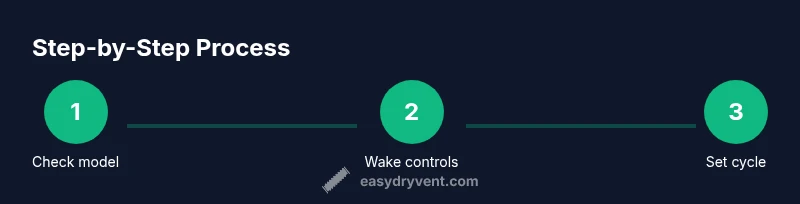
- 1
Check model compatibility
Confirm your LG washer-dryer model includes a built-in dryer function and supports the drying cycles you intend to use. Review the user manual to verify cycle names, heat levels, and sensor options. This upfront check prevents selecting incompatible settings.
Tip: If in doubt, search your model's manual for a one-line feature summary. - 2
Power on and wake the control panel
Press the Power button to wake the unit and access the main cycle menu. Ensure the door is closed and the drum is balanced. If your model uses a touchscreen, gently wake the screen and wait for the cycle options to load.
Tip: A quick glance at the display before you start helps avoid mis-selections. - 3
Select the Drying cycle
Navigate to the Drying section and choose the appropriate cycle (e.g., Cotton, Easy Care, Delicates) or Sensor Dry if available. The cycle name determines heat level and duration. Sensor Dry uses moisture sensing to optimize the outcome.
Tip: Choose Sensor Dry for the best balance of fabric care and energy use. - 4
Set dryness level and load size
Choose a dryness level (Damp, Normal, Very Dry) and confirm the load size. If the unit supports adaptive time, select Sensor Dry to let the machine end when the clothes reach the desired moisture level.
Tip: Overloading can lead to uneven drying; when in doubt, run a smaller test load first. - 5
Start the cycle
Press Start to begin the Drying cycle. Listen for airflow and monitor the initial minutes to ensure the drum rotates smoothly and heat is generated. If you notice no heat, stop the cycle and check for vent issues or circuit problems.
Tip: Starting with a shorter cycle helps you gauge performance without wasting energy. - 6
Monitor progress
Stay nearby during the first few minutes to ensure even tumbling and proper air circulation. If you notice hot spots or uneven drying, pause, rearrange the load, and resume. For smart models, you may monitor status via the LG app.
Tip: Rebalancing the load improves airflow and drying efficiency. - 7
End of cycle and unload
Once the cycle ends, promptly remove clothes to minimize wrinkling. Check the lint filter and vent for any debris. If the fabric remains damp, consider running a quick touch-up or a lower heat cycle with a smaller load.
Tip: Prompt unloading reduces wrinkles and can extend garment longevity. - 8
Post-cycle care
Wipe the door seal and drum interior, then run a brief drying cycle with an empty drum if you suspect odor or residue buildup. Store the lint filter in a clean place and keep the venting path clear.
Tip: Regular post-cycle cleaning maintains efficiency and safety.
Common Questions
Can I use the dryer setting on an LG washing machine that is not a washer-dryer combo?
Most LG washing machines without a built-in dryer cannot dry clothes. You would need a separate dryer. If your model does offer optional dryer modules, refer to the manual for compatibility and proper installation.
Most standard LG washers without a built-in dryer do not have a drying function. Check your model documentation to confirm compatibility.
Why are my clothes still damp after a drying cycle?
Overloading, wrong cycle choice, or clogged vents can leave clothes damp. Try a smaller load, select a higher dryness level or a longer Sensor Dry cycle, and inspect the lint filter and vent for blockages.
If clothes stay damp, reduce load size and check the vent and lint filter for blockages.
How do I know which dryness level to choose?
Start with Normal or Dry for mixed fabrics and switch to Damp for delicate items. Sensor Dry adapts to moisture, while Time Dry follows a set duration. Always follow fabric care labels.
Choose Sensor Dry for most loads; use Damp for delicate fabrics.
Is it safe to run the dryer cycle with the lint filter missing?
No. Running without the lint filter can cause lint to accumulate in the vent, increasing fire risk and reducing efficiency. Always ensure the filter is in place before starting.
Never run the dryer without the lint filter.
Can I stop a cycle early to change settings?
Yes. Use Pause or Cancel to stop the cycle safely, then adjust settings and restart. Avoid abrupt changes mid-cycle to prevent damage or uneven drying.
You can pause or cancel to adjust settings mid-cycle.
What if I smell burning or see unusual heat?
Turn off the unit immediately and unplug it. Inspect the venting and heater assembly; if in doubt, contact support or a technician. Do not continue to run a unit that smells hot.
Turn off and unplug the dryer if you smell burning and check for vent issues.
Watch Video
Key Points
- Learn the exact LG drying cycle names for your model.
- Use Sensor Dry for energy efficiency and fabric protection.
- Keep lint filter and venting clear to avoid long cycles.
- Balance loads to ensure even drying and prevent wear.
- Consult your model manual for model-specific steps.