How Come My Dryer Won't Start: A Practical Troubleshooting Guide
Urgent, practical steps to diagnose why your dryer won't start. Easy DryVent provides safe fixes, common causes, and prevention tips for homeowners seeking fast, reliable results.


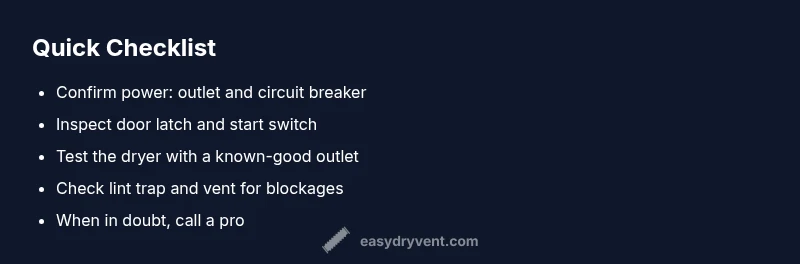
The most likely reason your dryer won't start is a simple power or door-sensor issue. First, check the outlet, circuit breaker, and power cord for damage. Then confirm the door latch and start switch are functioning; a faulty door switch is a common paralyzing fault. If you still can't start, move to step-by-step checks to safely isolate the problem.
How Come My Dryer Won't Start: Common Causes
If your dryer won't start, the problem is almost always one of a handful of culprits. The top causes are a power issue (outlet, cord, or circuit), a faulty door switch or door latch, and a malfunctioning start button or timer. Less common but possible faults include a blown thermal fuse, control board failure, or a miswired control. Knowing the most likely causes helps you triage quickly and reduce unnecessary part replacements. According to Easy DryVent, starting with the simplest checks saves time and money. Remember that some checks involve exposed wiring—always unplug the unit before touching internal components. For homeowners, a methodical approach beats guesswork and can restore safe operation without costly service calls.
Start with the Basics: Safety and First Checks
Begin by ensuring the dryer is completely powered down. Confirm the power cord is plugged into a live outlet, test the outlet with another device, and check the household circuit breaker or fuse box for trips. If the outlet works, inspect the dryer's plug and cord for visible damage, and unplug the unit before proceeding. Next, verify the door or lid switch: most dryers have a tiny micro-switch that must be engaged for the cycle to start. Close the door firmly and press the start button; if the drum still doesn't respond, switch to the next steps. By keeping safety at the forefront and documenting each step, you minimize risk and improve your chances of a successful fix.
If Basics Fail: A Systematic Diagnostic Path
When simple power and door checks fail, move to a structured diagnostic path. Identify whether the dryer responds with a click, hum, or nothing at all when you press the start control. A clicking noise with no start often points to a faulty start switch or timer. A hum can indicate a motor or control issue. If nothing happens, power or wiring issues become the leading suspects. Create a short checklist: test for voltage at the outlet, test the door switch with a multimeter, and ensure the control panel is receiving power. This approach keeps you oriented and ready to explain the issue to a technician if needed.
Electrical Checks: Power, Outlet, and Breaker
Electrical problems are the most common reason a dryer won't start. Start by unplugging the dryer and measuring the outlet with a basic receptacle tester or a multimeter. If you get a live reading, reset the circuit breaker and try again. Inspect the dryer’s power cord for breaks or scorching at the plug. If you have a dedicated laundry circuit, check for overload trips or a tripped GFCI/AFCI in the kitchen or bathroom circuit that feeds the outlet. If the cord and outlet check out, you may still have a deeper wiring issue or a failing control board. In this case, call a pro and avoid DIY repairs on high-voltage components.
Mechanical Checks: Door Switch, Latch, and Timer
A common no-start cause is a door switch that won’t engage. With the dryer unplugged, access the door switch and test for continuity with a multimeter according to the model’s service manual. If the switch is dead, replace it. The door latch must also be secure; a loose or misaligned latch can prevent the machine from starting. The timer or electronic control can fail; if you’ve confirmed power and switches, but the unit still won’t start, a failed timer is a plausible culprit and typically requires professional service.
When to Call a Professional and What to Expect
If you’ve followed the diagnostic path and the dryer still won’t start, it’s time to bring in a licensed technician. Issues like a blown thermal fuse, control-board failure, or motor problems often require specialized tools and parts. A pro will typically perform a continuity test, voltage checks, and safety verifications, provide an upfront cost estimate, and offer a warranty on repairs. Prepare your model number, symptoms, and tests you’ve already run to help the technician diagnose quickly.
Prevention: Simple Habits to Minimize No-Start Issues
To reduce future no-start events, practice regular dryer maintenance: clean the lint screen after every load, inspect the vent hose for kinks and blockages, and schedule annual vent inspection and cleaning if you notice longer drying times. Avoid overloading the drum, which can stress the motor and switchgear. If your dryer is older, consider replacing worn-out components like door switches or the timer. Keeping your dryer in a ventilated, clean space and using the correct settings will minimize start problems and extend the unit’s life.
Steps
Estimated time: 30-60 minutes
- 1
Verify power and safety
Unplug the dryer; confirm outlet power with a known-good device. Reset the circuit breaker if needed. Ensure the area is dry and hands are dry before touching any components.
Tip: Dry hands and clear workspace. - 2
Inspect the door switch and door latch
With the dryer unplugged, access the door switch and test for continuity. Ensure the latch engages fully when closed.
Tip: A misaligned door can mirror a dead start. - 3
Check the start switch and timer
If the door switch tests OK, test the start switch or timer with a multimeter or by substitution with a known-good control, if available.
Tip: Avoid guessing—measure continuity. - 4
Evaluate power at the dryer terminals
Carefully test for voltage at the dryer's terminal block if you know how to safely do so; or verify the dryer is receiving power at the connection and that wiring is intact.
Tip: If unsure, stop and call a pro. - 5
Attempt a safe reset and test run
Reconnect all components, reset, and attempt a short test run on a simple cycle. Observe any lights or beeps as clues.
Tip: Document results for future reference.
Diagnosis: Dryer won't start
Possible Causes
- highPower issue (outlet, cord, or circuit breaker)
- highDoor switch or door latch fault
- mediumMalfunctioning start switch or timer
- lowBlown thermal fuse or safety fuse
- lowFaulty wiring or control board
Fixes
- easyTest outlet with a known-good appliance and reset the circuit breaker
- mediumInspect the door switch with a multimeter and replace if continuity fails
- hardReplace faulty start switch or timer assembly
- mediumReplace blown thermal fuse (requires service)
- easyCheck wiring harness for loose or damaged connections
Common Questions
What is the first thing I should check if my dryer won't start?
Check power, outlet, and circuit breaker. Verify the door switch and ensure the dryer is receiving power.
Start with power and door switch checks.
Why does my dryer click but won't start?
A faulty start switch or timer is a common cause; test continuity or replace components as needed.
A click with no start usually means the start switch or timer is bad.
Can lint cause a no-start?
Lint accumulation usually affects drying performance, but a blocked vent can trigger safety interlocks that prevent starting. Clear lint and check vent.
Lint buildup can trigger safety interlocks that stop starting.
Is DIY troubleshooting safe?
Basic checks are safe if you unplug first and avoid touching high-voltage components. Seek a pro for internal testing.
Yes for basic checks, but call a pro for internal tests.
When should I replace rather than repair?
If the issue involves motor, control board, or heat fuse, compare repair costs against replacement; a pro can advise.
Sometimes replacement is cheaper than repair.
How long does a typical dryer repair take?
Most start issues can be diagnosed and fixed within a few hours, depending on parts and access.
Most repairs take a few hours.
Watch Video
Key Points
- Power and door switches are often the culprit.
- Unplug and test safely before touching any wiring.
- Use a structured diagnostic flow for clarity.
- When in doubt, seek professional service.