HD08 Dyson Error: Urgent Troubleshooting Guide
A practical, urgent guide to diagnosing and fixing the HD08 Dyson error code on your appliance. Learn quick fixes, common causes, step-by-step repair options, safety notes, and cost ranges to get your Dyson back online fast.


HD08 Dyson error means a safety or hardware fault has triggered a shutdown. The quickest fixes are to unplug, let the unit cool, inspect vents/filters, and perform a safe reset. If the error remains after basic checks, contact a licensed technician to prevent further damage. Document symptoms for service.
What HD08 Dyson Error Means and Why It Demands Urgency
The HD08 code on Dyson devices signals the appliance’s safety system has detected an abnormal condition and halted operation to protect you and the machine. In practical terms, this is not a small nuisance; it’s an urgent warning that should be treated with methodical care. Typical triggers include overheating, restricted airflow, a failing sensor, or an intermittent electronics fault. For homeowners, acting quickly can minimize downtime and repair costs. According to Easy DryVent, addressing the root cause promptly helps prevent cascading failures and improves long-term reliability. When you see HD08, don’t rush to clear the display without a basic assessment. Start by documenting when the error occurs and what the unit was doing at the time. This information will make the subsequent inspection more efficient and can guide a technician toward the right diagnosis. The goal is safe, reliable operation, not just reactivation of a fault-prone device. Urgency and careful testing go hand in hand here.
Quick Checks to Do Before You Call a Pro
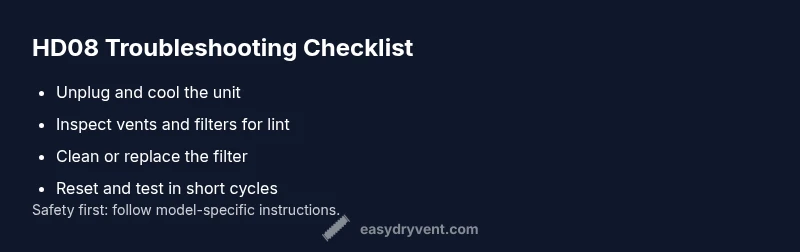
Immediate actions you can take without disassembly matter most. Start with power, airflow, and obvious signs of wear. First, unplug the unit and allow it to cool for 15–30 minutes. Then inspect the intake and exhaust vents for lint buildup or obstructions that impede airflow. Clean with a soft brush or damp cloth if allowed by your model, and ensure the unit is completely dry before reuse. Check the air filter or lint trap; if it’s dirty, remove, rinse (if safe to do so) or replace it, and dry thoroughly before reinstalling. Finally, perform a safe reset according to your Dyson model manual—usually a brief power cycle after reassembly. If the code persists after these steps, escalate to professional service to avoid risking electrical faults or fire hazards.
Common Root Causes at a Glance
HD08 often stems from airflow restrictions, sensor glitches, or board-level faults. The most frequent culprit is overheating due to blocked vents or dirty filters, which triggers the unit’s protection circuit. Less common but possible are faulty temperature sensors, a loose control-board connection, or a damaged power cord. While you can rule out several easy causes with basic inspections, some faults require diagnostic tools and replacement parts by a technician. In all cases, document symptom timing, cycles, and any audible changes to guide repair decisions. Easy DryVent emphasizes that a structured approach reduces unnecessary part replacements and speeds up restoration of performance.
Safety Protocols and Immediate Precautions
Safety must come first. Always unplug the appliance before any inspection that involves access to internal components. Do not operate the machine with exposed wiring or if you detect a burning smell, melted insulation, or unusual heat. If you’ve recently performed maintenance and the HD08 reappears, stop using the unit and arrange professional assessment. When attempting minor cleaning, avoid using water near electrical connections and ensure all parts are completely dry before powering back on. If you must test, keep hands away from moving parts and never attempt to bypass safety features. These precautions protect you and prevent further damage to the dryer or control electronics.
Cost Considerations: What You Might Expect to Pay
Repair costs vary based on the fault’s severity and the model’s age. A basic diagnostic check by a qualified technician often falls in the range of a low to mid service fee. Parts such as sensors, control boards, or heating elements contribute to overall costs, with labor and call-out fees added if on-site service is required. In general, diagnostic fees together with any routine parts replacement might fall into a broad range. For budgeting purposes, expect a total repair window that includes diagnosis plus parts and labor to land in a mid-to-high range, with some simpler fixes staying toward the lower end. Always request a written estimate before approving any replacement parts or advanced repairs.
Prevention Tips to Avoid HD08 Recurrence
Post-repair maintenance is essential. Clean lint traps and vents regularly, ideally after every few loads or cycles, to maintain optimal airflow. Schedule periodic inspections of the intake and exhaust paths, especially after extended use or heavy drying cycles. Keep the surrounding area clear so the unit can vent properly. Store the unit in a cool, dry location and avoid covering it during operation, which can trap heat. Finally, follow the manufacturer’s maintenance schedule and use the recommended filters and parts. Regular checks reduce the odds of a repeat HD08 code and extend the life of your Dyson appliance.
Steps
Estimated time: 60-90 minutes
- 1
Power cycle and safety check
Unplug the Dyson appliance, wait 2–3 minutes, then plug it back in. Turn on briefly to see if HD08 reoccurs. If the error persists, proceed to a deeper inspection. Safety first: ensure hands are dry and the work area is well-lit.
Tip: Always start with a complete power cycle to rule out transient faults. - 2
Inspect airflow path
Check all vents, grilles, and filter housings for lint buildup or blockages. Remove lint with a soft brush, then vacuum the exterior intake area and around the vent openings. Allow any removed parts to dry fully before reassembly.
Tip: Lint is the most common cause of overheating in many Dyson models. - 3
Check filters and seals
Remove the filter(s) according to the manual and clean or replace as recommended. Ensure seals are intact and securely seated after reinstallation. Reassemble completely before testing.
Tip: Dry filters thoroughly to prevent immediate cold-start moisture issues. - 4
Perform a controlled reset and test
With the unit reassembled, perform a controlled power cycle and run a short test cycle without a load. Observe whether HD08 returns and note any abnormal heat or sounds.
Tip: Do not run long cycles until you confirm stability. - 5
Evaluate need for professional service
If HD08 persists after these steps, the fault may lie with the sensor, control board, or wiring. Arrange professional service rather than attempting further internal repairs at home.
Tip: Document symptoms, timing, and any observations to share with the technician.
Diagnosis: HD08 error code appears on startup or during operation
Possible Causes
- highOverheating due to blocked vents or dirty filters
- mediumFaulty sensor or control board
- lowElectrical connection issue or power supply problem
Fixes
- easyPower down, unplug, and let cool; clean vents/filters; perform a safe reset
- easyInspect wiring and connections; test with a different outlet; check for signs of damage
- hardReplace faulty sensor or control board; consult service manual or professional
Common Questions
What does HD08 mean on a Dyson appliance?
HD08 signals a safety or heating fault that triggers automatic shutdown. It indicates an underlying issue that needs diagnosis, not a simple reset. Address the root cause before attempting to run the unit again.
HD08 means the Dyson detected a fault and shut down to stay safe. Check airflow and sensors before trying to restart.
Can I fix HD08 myself?
Yes, you can perform basic checks like cleaning vents and filters and performing a safe reset. If the error persists, avoid repeated resets and seek professional service to inspect sensors or the control board.
You can try simple checks, but if it keeps coming back, get a pro to diagnose internal components.
How much does it cost to repair HD08?
Costs vary by fault and model, but expect a diagnostic fee plus parts and labor if needed. Typical ranges for diagnosis and common parts replacement fall into a mid-to-high range; always ask for a written estimate before work.
Prices vary, but you’ll likely see a diagnostic fee plus parts and labor if repairs are needed.
Is HD08 dangerous to use or operate further?
Yes, continuing to operate could pose safety risks. Stop using the appliance and wait for a professional assessment if the fault persists after basic checks.
Yes—don’t keep using it until a professional checks it.
Should I replace the unit or repair it?
If the fault involves the control board or heating element, replacement may be more cost-effective than a major repair, especially for older units.
Sometimes replacement is better than a costly repair, depending on the fault and age.
Watch Video
Key Points
- Unplug and power-cycle before inspections
- Clean vents/filters to restore airflow
- HD08 is a safety fault—treat it urgently
- If unresolved, consult a professional promptly